
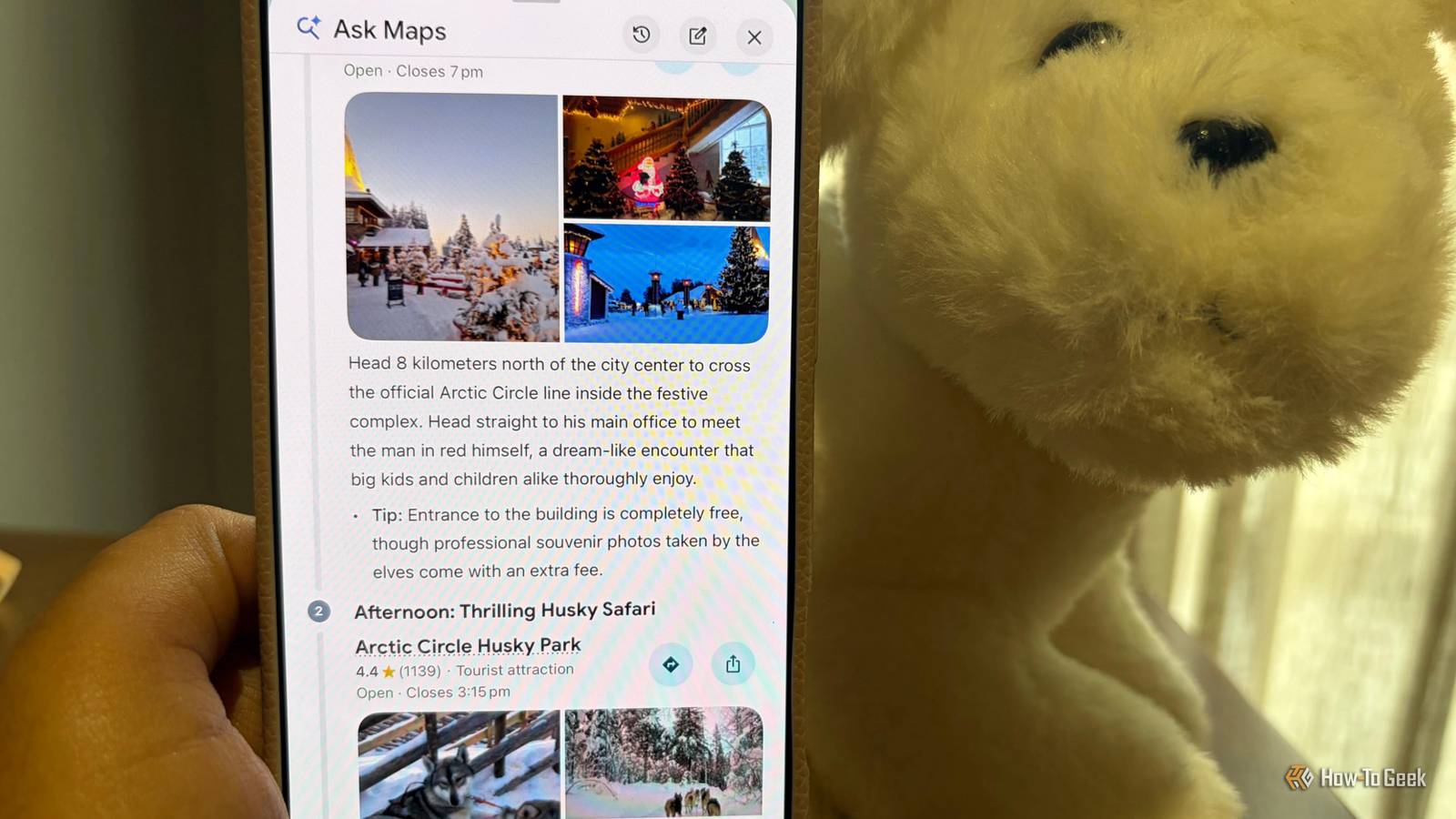
Published Nov 19, 2026, 7:00 AM EST A Computer Engineer turned tech-savvy. Sanya is part of the How to Geek team, and she covers Android, Samsung, Google, apps, and everyday technology, combining hands-on experience with thorough research. She helps readers understand technology without getting lost in technical jargon. I’m planning a trip to Finland this Christmas. I want to know where we’re going, how we’ll get there, and what we can fit into each day before we leave. Honestly, I enjoy planning trips almost as much as taking them. Sometimes, I think I enjoy the planning part even more. I like having the hotels, sightseeing spots, and little stops figured out beforehand. Google Maps has become a big part of that process. I use it to save places, plan routes, and figure out how to get from one stop to another. A few of its features make holiday planning much easier, and these four are worth trying before your next trip. Plan a day-by-day holiday itinerary with Ask Maps Let Google Maps organize your entire trip I love planning holidays, but I can spend hours jumping between Google searches, Maps, and travel blogs before I have an itinerary I’m happy with. For our Finland trip, I had three days to plan around hotel check-ins, train journeys, sightseeing, and activities for our daughter. I tried Ask Maps to see if it could save me some of that work. I asked to create a three-day Finland itinerary that included Santa Claus Village, local sightseeing, and time for a possible husky ride. Rather than giving me a long list of places to visit, Ask Maps organized the suggestions into a day-by-day itinerary with locations marked on the map. I could see how the stops fit together and decide what made sense for each day. I still wanted to check the details myself, but it gave me a useful starting point. Use Gmail to get personalized travel recommendations I found amazing places near our hotel I already had our Finland hotel reservation sitting in Gmail, so I wanted to see if Ask Maps could put that information to good use. Instead of copying the hotel address into Maps, I asked it, “What are some family-friendly places to visit near our hotel in Rovaniemi?” I also searched for nearby Jain-friendly restaurants where we could eat with our daughter and places worth visiting between our planned activities. Ask Maps can use connected Gmail information, including hotel bookings, to make its recommendations more relevant. I like that I can ask questions without digging through confirmation emails to find the hotel address every time. Since we’re traveling with my one-year-old daughter, knowing what’s nearby will help me take fewer detours. Stop scrolling through saved lists I save almost every place that catches my eye when I’m researching a holiday. For Finland, I’ve bookmarked sightseeing spots, activities, and a few experiences I want to try with my husband. One of them is a husky ride, which I don’t want to miss during our trip. The problem is that I keep adding places to Google Maps and then forget where I saved them. Ask Maps makes this easier because I can search my saved places by simply asking a question. For example, I can ask, “Show me the husky ride experiences I’ve saved near Rovaniemi.” I don’t have to open my lists and scroll through dozens of pins to find the one I need. I can also check details about saved places before deciding which ones to include in our itinerary. Change my holiday plans without starting over Update my itinerary as I explore My Finland itinerary already has plenty of stops, but traveling with a child means I might have to change things at the last minute. Maybe our daughter gets tired after visiting Santa Claus Village, or we spend longer than expected on the husky ride. I don’t want one change to throw off the rest of the day. Ask Maps lets me edit my itinerary through follow-up requests instead of making me start from scratch. I can ask it to remove a stop, add another attraction nearby, or change the order of our plans. For example, if we finish the husky ride early, I can ask it to find another interesting place nearby and fit it into our existing plan. That’s much easier than rearranging every stop myself. One less thing to worry about on holiday Do you also feel like booking a ticket to Finland after reading about my itinerary? I’m already excited about the trip, and Google Maps has made the planning a little easier. I still enjoy researching places and deciding what we should visit, but I don’t mind letting Maps handle some of the legwork. With our daughter coming along, I’d rather spend less time sorting out routes and more time enjoying the holiday. If you’re planning a getaway, give these features a try before you leave.
4 Google Maps features that make holiday trips easier
Full Article
Original Source
Read the full article at Howtogeek →KhanList aggregates and links to publicly available news content. We do not host full articles from third-party sources. Always verify important information with original sources.