
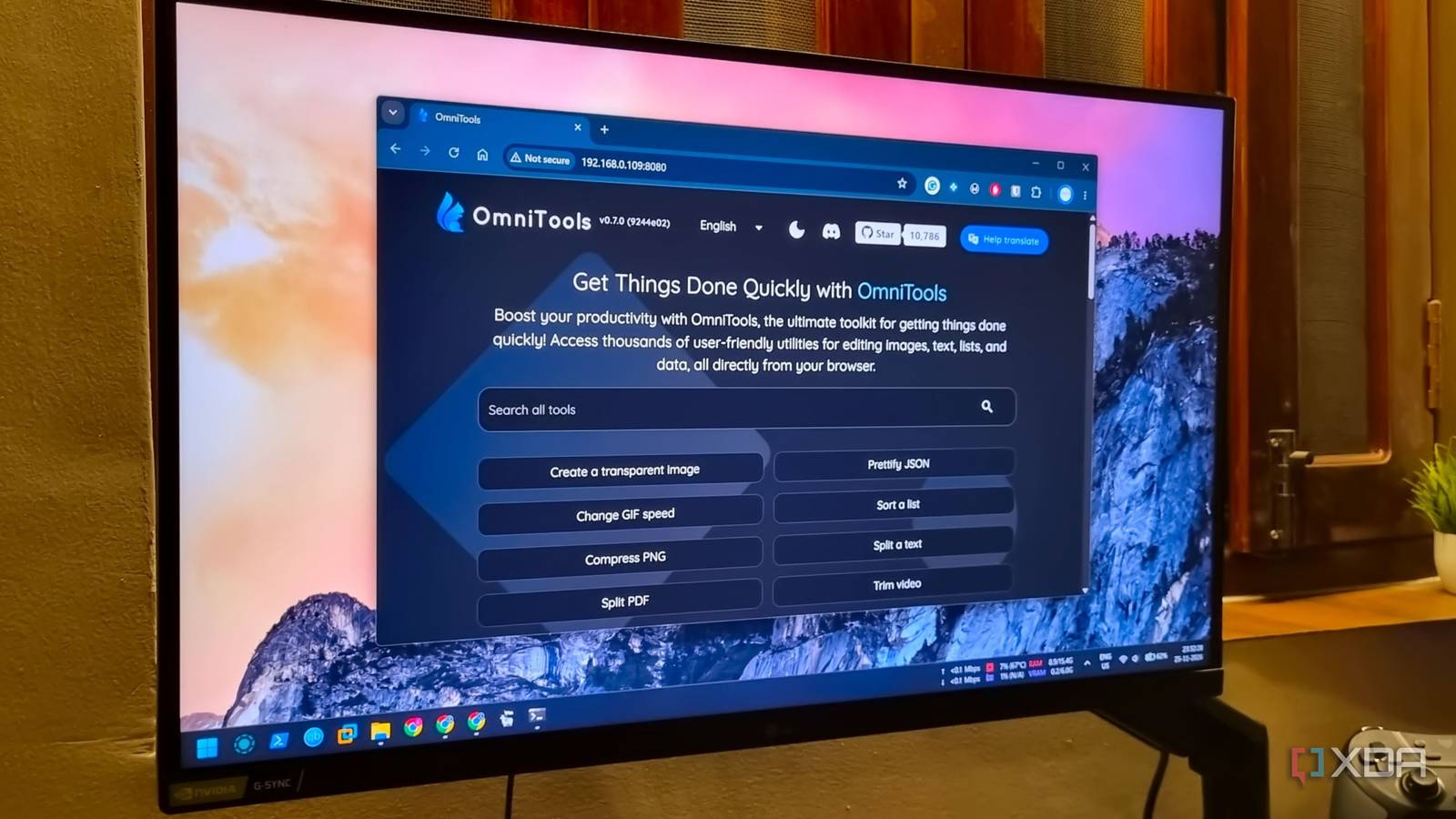
Published Nov 26, 2026, 7:31 AM EST Abhishek is an author at XDA who covers computing. He has loved computers since he got the Lenovo G570 in 2012. Abhishek holds a master's degree in computer applications and began his writing career in 2018. He loves writing how-to articles, listicles, and informational posts on popular operating systems and web services. He closely follows the Windows Insider program and tests new Insider builds to discover upcoming experimental features and upgrades. His past work includes long-term collaborations with reputed publications like Tom's Hardware, and Windows Latest. When not writing anything, he is busy watching new episodes of One Piece or searching for something binge-worthy. I started self-hosting by trying out individual apps, and the first one was easy. All it took was a few commands to set the whole thing up and access its web page via a browser. But as I matured in the DIY realm, Docker replaced individual packages. It became a central part of the workflow, and now tools live as individual containers rather than the old, individual approach. You might already be aware of the perks of this containerization approach, as it makes things more manageable. One tool's failure doesn't drag the whole system down, which is quite common while troubleshooting individual packages. But not all containers are as easygoing as you think. Some require frequent monitoring and maintenance, which can be overwhelming for a beginner. However, there are a few low-maintenance containers you can deploy on your home server. Myriad of tools for everyday use OmniTools is one of those containers that doesn't need any upkeep at all apart from periodic updates. It's a collection of multiple tools, over a hundred as per the current GitHub page’s summary. You might wonder why I need hundreds of tools, and whether it will require a huge chunk of storage space. Well, OmniTools isn't one of those resource-hungry, storage space-eating monsters that will stress your home server. It can work with less than 100MB of memory on low-spec SBCs. I've deployed it on a Raspberry Pi Zero 2 W along with a couple of other lightweight tools, and they don't even utilize half of the available memory on the SBC. The magic lies in the nature of the operation because OmniTools is primarily a client-side processing service. It only hosts the core files on your server while the client's browser handles all the processing. The files that you upload and process aren't stored on the server. I use it to batch convert images, remove backgrounds, and extract audio from videos and clips. It's a fast, feature-rich, and free experience that other freemium web-based tools rarely offer. Even other people in my home use it for day-to-day document conversions and image actions. It is just a browser search away for all the people connected to my home Wi-Fi. Since the first day of its deployment, I have never once had to fix the tool because it closed unexpectedly or didn't have the necessary permissions to work. Vaultwarden My local and private password manager Self-hosting a password manager was the last thing on my mind, but it happened after the paid ones became expensive and unpredictable. Vaultwarden fit in very nicely, and it worked without issue both as a standalone package and a Docker container. I ran it as a standalone installation for about a year until one day I decided it was time to turn it into a container. That opened a can of worms because I had to figure out HTTPS support as well, which eventually worked with the help of Tailscale Serve. Unlike OmniTools, Vaultwarden stores your credentials in a database on the server. There have been no database errors or problems while fetching credentials via the mobile application or the browser extension. That said, Vaultwarden has a slightly more difficult setup compared to BentoPDF and OmniTools. But once you overcome the initial hiccups like HTTPS support, it doesn't feel different from a paid password manager. The autofill works well, and you can generate random yet powerful passwords and audit your existing ones. BentoPDF No more Adobe Acrobat BentoPDF is one of the most beginner-friendly containers because PDF is a common file format for both students and working professionals. There's a lot of file conversion and PDF editing required in both roles, and BentoPDF acts as a free, self-hosted solution. Adobe Acrobat is more expensive than other PDF tools. BentoPDF only requires a one-time setup and server configuration. Like OmniTools, there's no heavy lifting done on the server, and the client side bears all the burden. It also doesn't store or process the files on the server and doesn't use a database like Vaultwarden. So there are fewer moving parts, and you can deploy it once via a simple Docker Run command and use it immediately. Most of the features that I earlier used Adobe Acrobat for are now a part of the BentoPDF suite, so I hesitate to switch to another one. I used Stirling PDF earlier, but it wasn't a great fit for low-spec SBCs like the Raspberry Pi Zero 2 W. After BentoPDF, I've stopped visiting free web PDF editors and converters because they serve a ton of ads and paywall the useful features. OmniTools also has a few PDF-related features, but I prefer to have a dedicated tool for PDF tasks. Dockhand A cleaner Portainer alternative A beginner should not have to deal with the terminal for deploying and managing containers. A visual tool like Portainer makes both learning and management quite easy, and I prefer Dockhand. It’s a better alternative to Portainer, in my opinion, and adds a few features I wanted in Portainer. Selective container updates are one of the features that convinced me to make the switch. You don’t need to bulk update all of them. Similarly, the visual style is much easier on the eyes and supports more customization than Portainer. The container-related actions are readily available in the list, and I can pause, restart, or run any stopped ones. I also find the scheduled maintenance actions very supportive for mundane tasks. The built-in file browser feature makes adding files to a server’s media folder quite easy. The tool runs and manages every other container on my servers without acting finicky, and that means one less problem to worry about. Choose containers wisely The containers mentioned above have posed negligible hassles since the day I deployed them. Your experience can vary, and some of you might feel strongly about Nextcloud or Pi-Hole. These are incredibly useful tools, but I had a tough time with them as a beginner. Pi-Hole needs a bit more tinkering and can bring the network down if you don't have a fallback server. Docker Docker Desktop simplifies container management on Mac, Linux, or Windows with a GUI, handling setups like port mappings and file systems
4 Docker containers I've never once had to fix, and they're the ones I'd tell any beginner to start with
Full Article
Original Source
Read the full article at Xda-developers →KhanList aggregates and links to publicly available news content. We do not host full articles from third-party sources. Always verify important information with original sources.