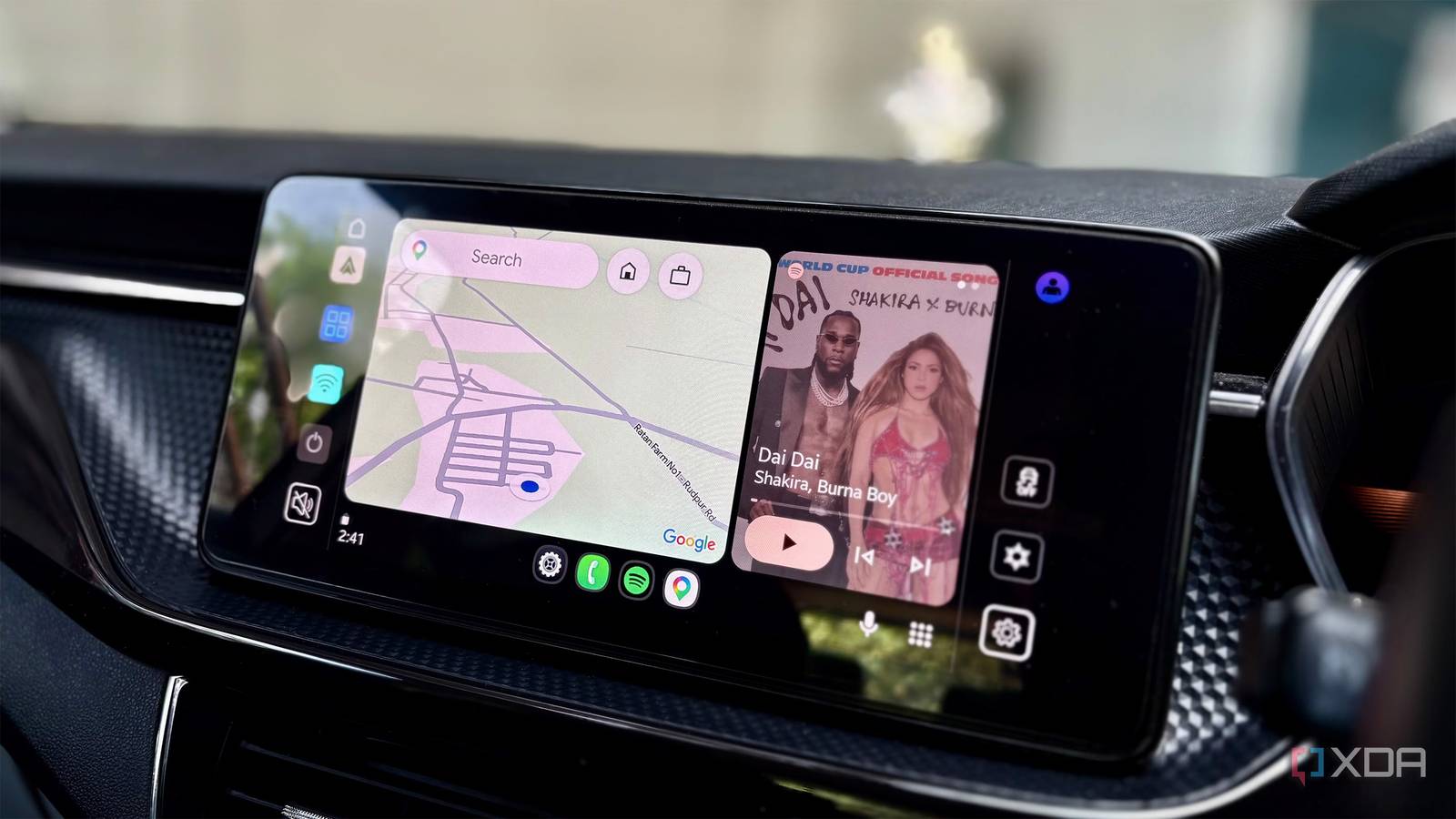
Published Aug 8, 2026, 11:30 AM EDT Shekhar Vaidya is a veteran technology journalist and computer science engineer. He is the founder of TechLatest, where he has spent years providing technical analysis on hardware and Windows ecosystems. Now a Computing Writer at XDA, Shekhar leverages his deep background in NAS, storage solutions, and PC internals to help readers master their tech. Most modern cars already ship with a capable infotainment system, so for the majority of people, Android Auto can seem redundant at first. For instance, my car has an Android Automotive OS in the head unit. It's basically Android but configured the way the OEM wants. So my initial impression was that if my car's head unit already had Android, why should I mirror my phone via Android Auto? But after using the phone-powered platform for a while, I realized I'd overlooked a few features. Those small features make Android Auto a lot better than the default OEM systems. And it wasn't about better tech or features; it was about the ease and habits I developed over the months. Automatic startup means I never have to plug in or wait It was already running before I sat down This isn't something that I invented. We've been used to auto-Bluetooth connections for ages, but when I finally shifted to Android Auto in my previous family car, it was wired only. So, each time I had to connect my phone to the USB port manually, and sometimes I even had to tap Android Auto's icon on the infotainment screen. But last year, when I got my own car, wireless Android Auto flipped the whole thing. I don't need to touch my phone at all; I unlock my car, open the driver-side door, and the system does everything on its own. Though I did have to toggle the setting Start Android Auto Automatically once, everything's been automatic since. This is one of the most convenient things with Android Auto. And I mostly play music while driving, so I switched on Start Music Automatically too. So, when I'm in the driver's seat, everything is ready for me. If you have your own ride that you drive most of the time, toggling this one feature can ease your morning routine. You can start the ignition, wait for the cold start (yeah, I love my turbo-gas engine), and drive without worrying about connectivity. Voice controls keep my hands on the wheel I stopped touching my phone mid-drive I'm a big home lab and smart home enthusiast, and voice controls are one of the things I love at home. But on the contrary, I rarely use the voice assistant on my phone. I always felt that when the mobile itself is in my hand, why would I need to tell it to do something when things are just a few taps away? When it comes to driving, it's the opposite. I use it all the time. A quick caution before I go further: you shouldn't use your phone while driving; it's very dangerous and illegal in most places, too. Since I work from home, I don't have to commute every day. So whenever I take my car out, it's usually just for fun or to run some errands. Either way, I want to focus only on driving it. And voice controls help with that in many ways. I rarely stop the car to use the phone — if I need to set a waypoint, I tap the voice control on my steering wheel and ask Gemini to set it for me in Google Maps. If I need to change the music, I can ask it to do that, too. My hands are always on the wheel and eyes on the road. Voice controls do all the other work for me. If you drive a lot, you should switch to voice controls; it's a lifesaver (literally). The screen that splits without asking I know the split-screen media controls are ancient history now, but I didn't appreciate them at first. The redesigned dashboard looked more cosmetic at first. When it was first released, I used it in my family car. As far as I remember, it was a small 5-inch to 6-inch display, and everything looked so cramped that I'd always switch to either Google Maps or Spotify. But when I started using Android Auto in my new car, I finally understood what the fuss was about and why everyone appreciated it so much. Fast-forward to today, after more than a year of using it, I keep my Android Auto screen on the home (split screen) itself. The navigation? It's there. The music controls? They're there. Frankly, those are the only things I use while driving. And other things, voice control can take care of. I did toggle a few settings on my phone, though — for example, changing the split-screen layout by moving the music controls to the driver's side. I don't recommend using touch-based controls at all while driving, but having music controls closer to your hand makes the occasional necessary tap more comfortable. Notifications read-aloud tell me what is urgent without looking down My phone stayed face down the whole drive This is one of the features I've always used but never really appreciated. Previously, incoming messages meant either ignoring them until I parked my car or risking a glance at my phone while driving. But this one small feature, Notifications with Assistant, changed the whole equation for me. It reads out a preview of the notification, not the full message — not until you ask it to, anyway. For example, it says something like, "You have received a new message from Alex on WhatsApp. Do you want me to read it?" It's a simple ask — if I think it's important, I follow up, and it reads the message. If not, I say no, or ignore it, and it fades away in a few seconds. It's not just reading — it can reply to messages too, if I ask it to. This feature isn't applicable to all messaging apps, but I use it on WhatsApp, and it works flawlessly. So, in the end, I can hear the message and reply by voice instead of pulling over. This is less about replying faster and more about staying reachable without losing focus. Small things, big difference Android Auto didn't win me over with just a feature or two. The real strength was removing small frictions that I didn't notice until weeks in. It made my time behind the wheel a little more convenient with less time interacting with the infotainment screen and more time focusing on driving, which I actually like. These are small Android Auto settings and behaviors that can easily be overlooked, but after several weeks with it, I can't go back to my car's default infotainment system.
4 Android Auto features I didn't appreciate until I actually used them
Full Article
Original Source
Read the full article at Xda-developers →KhanList aggregates and links to publicly available news content. We do not host full articles from third-party sources. Always verify important information with original sources.