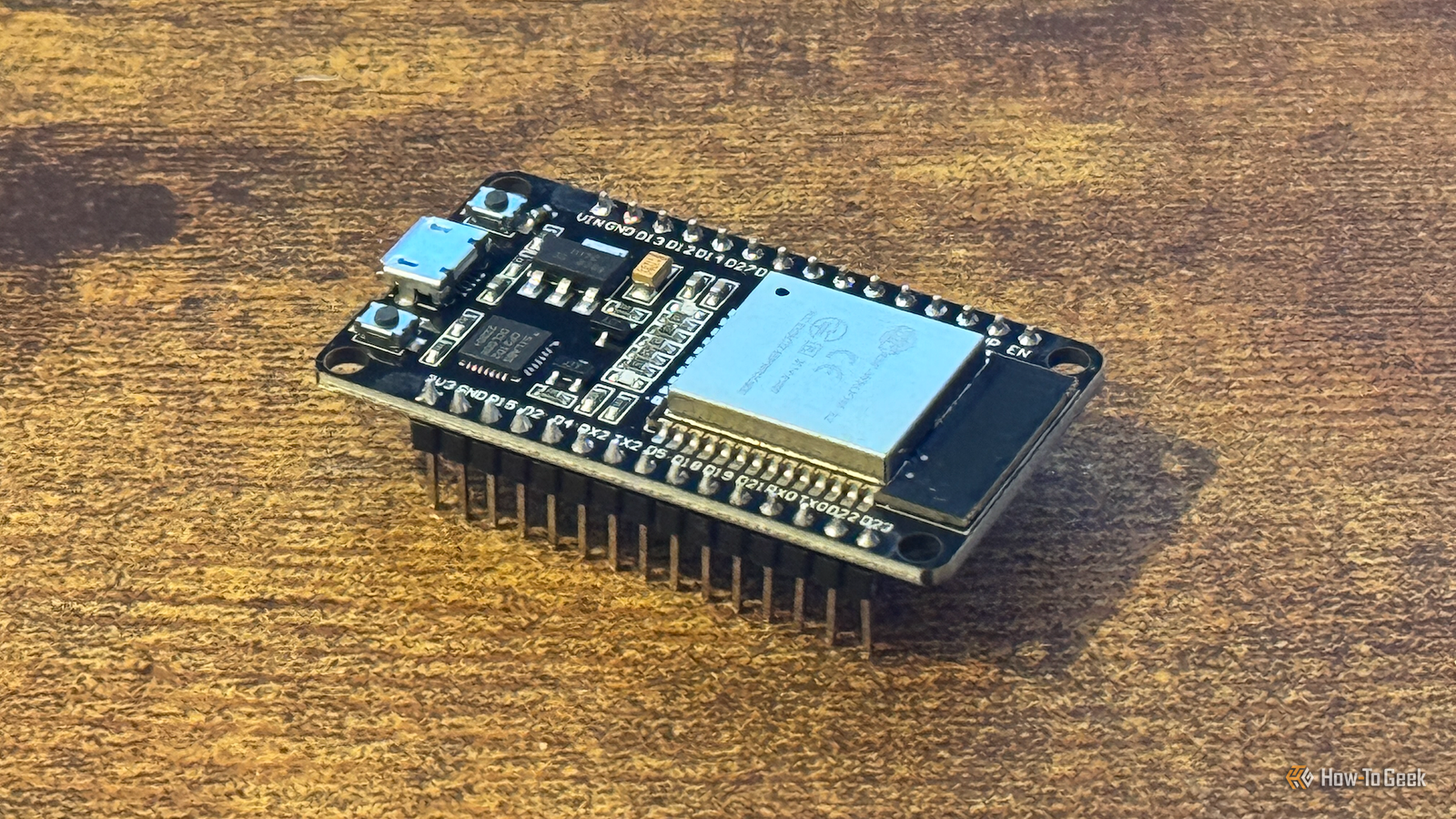
Published May 15, 2026, 8:00 AM EDT Sydney Butler is a technology writer with over 20 years of experience as a freelance PC technician and system builder and over a decade as a professional writer. He's worked for more than a decade in user education. On How-To Geek, he writes commerce content, guides, opinions, and specializes in editing hardware and cutting edge technology articles. Sydney started working as a freelance computer technician around the age of 13, before which he was in charge of running the computer center for his school. (He also ran LAN gaming tournaments when the teachers weren't looking!) His interests include VR, PC, Mac, gaming, 3D printing, consumer electronics, the web, and privacy. He holds a Master of Arts degree in Research Psychology with a minor in media and technology studies. His masters dissertation examined the potential for social media to spread misinformation. Outside of How-To Geek, he hosts the Online Tech Tips YouTube Channel, and writes for Online Tech Tips, Switching to Mac, and Helpdesk Geek. Sydney also writes for Expert Reviews UK. He also has bylines at 9to5Mac, 9to5Google, 9to5Toys, Tom's Hardware, MakeTechEasier, and Laptop Mag. Not everyone has the latest and greatest 3D printer with all the bells and whistles. Especially if you're focusing on bare-bones workhorse machines where raw capability mattered more to your budget than luxury. That doesn't mean you have to do without some of these nice-to-have features. With a $5 ESP32 (and a few other cheap components) you can upgrade your printer to match those fancy machines, and even give them capabilities the most expensive all-in-one printers might not have yet. Add Wi-Fi to any 3D printer A wireless world is so much better, isn't it? While it's quite normal to have Wi-Fi on fancier modern 3D printers, there are still many models that only work through a physical USB connection with your computer, or by copying the G-code files to an SD card or USB thumb drive and plugging it into the system. The good news is that you can use an ESP32 to add Wi-Fi printing to a huge number of potential printers. In this video by Jason Winfield from 2023, you can see how it's all supposed to work. The downside here was that since the data is being streamed to the printer, any interruption of the stream causes the printer to stop and wait for more instructions, which can have a negative effect on the print. However, if you follow the instructions on Hackaday and have a compatible printer model you might find that it does work well enough for your needs. ELEGOO Centauri Carbon 2 Build Volume 256 × 256 × 256 mm Connectivity Wi-Fi The ELEGOO Centauri Carbon 2 builds on the solid foundation of its predecessor and adds an affordable, effective multicolor system to the mix. Create a real-time 3D printer dashboard (for Bambu printers) All the information in one place Credit: AdvertisingFormal746 via Reddit All of my printers run their own little web-servers and allow me to monitor them with a browser window I can switch to or leave on a monitor. If your printer doesn't come with its own built-in dashboard however, there's a good chance you can interface with it and create one yourself. For example, the neat little desktop dashboard you see above was created by Reddit user AdvertisingFormal746, using an ESP32-S3 Super Mini, and a small 240x240 screen in a printed enclosure. The mod takes advantage of printers that send information using the MQTT protocol on a specific port across the LAN. As far as I can tell, this BambuHelper project only works with Bambu printers, since it takes advantage of the specific smart home protocol messages they send, but you can always search for a project to see if someone hasn't figured something similar out for your brand and model of printer. Make your own live filament scale Never under-budget for a print again Credit: INVESTEGATE Knowing how much filament you have left is a major pain when 3D printing. With experience, you can eyeball it, and, of course, many printers do a decent job of restarting after a filament run-out. But it can also ruin your print, especially if it's been paused all night. This is one reason I prefer to buy filament that has a weight indicator on the side to tell you how much is left, but if you built a filament scale you don't have to guess. The SCALEY is designed for use with 1KG spools and uses an ESP32 as the core component. Add a load cell, a display, and a few other bits and bobs, and you can see exactly how much filament is left. Easy! ESP32 LoRa V3 Module Board with Battery Brand MakerHawk Operating System Meshtastic This ESP32 kit includes everything you need for connecting to your local Meshtastic network, or any other LoRa-based tech project. There's an LED display, a 1100mAH battery, and multiple antennas. Create a print farm monitor board When you have a dozen printers but only two eyes Credit: Simit via Home Automation Party Anyone can mount a screen on the wall with a printer dashboard, but Simit from Automated Home Party wanted to do something more stylish and less disruptive. Which is where this cool WLED and Home Assistant monitor project comes from. It works via Moonraker running on top of the Klipper printer firmware. Since so many printers run on Klipper, there's a good chance this will work with yours. Each of the LED panels represents one printer, and the color and shape of the LED pattern represents that printer's progress and status. Simit installed WLED on an ESP32, but notes that other controllers can also run the same firmware. It also requires a mini PC or Raspberry Pi, whichever is cheaper. This is definitely a style over substance solution, but I think the end result is very cool, so hats off to Simit. We can make it better—we have the technology It's amazing what these cheap little controllers are capable of, and if you're done upgrading your 3D printer itself with ESP32s, you can also use that printer to make other ESP32-powered 3D printing projects.
4 3D printer upgrades you can build with a $5 ESP32 board
Full Article
Original Source
Read the full article at Howtogeek →KhanList aggregates and links to publicly available news content. We do not host full articles from third-party sources. Always verify important information with original sources.