
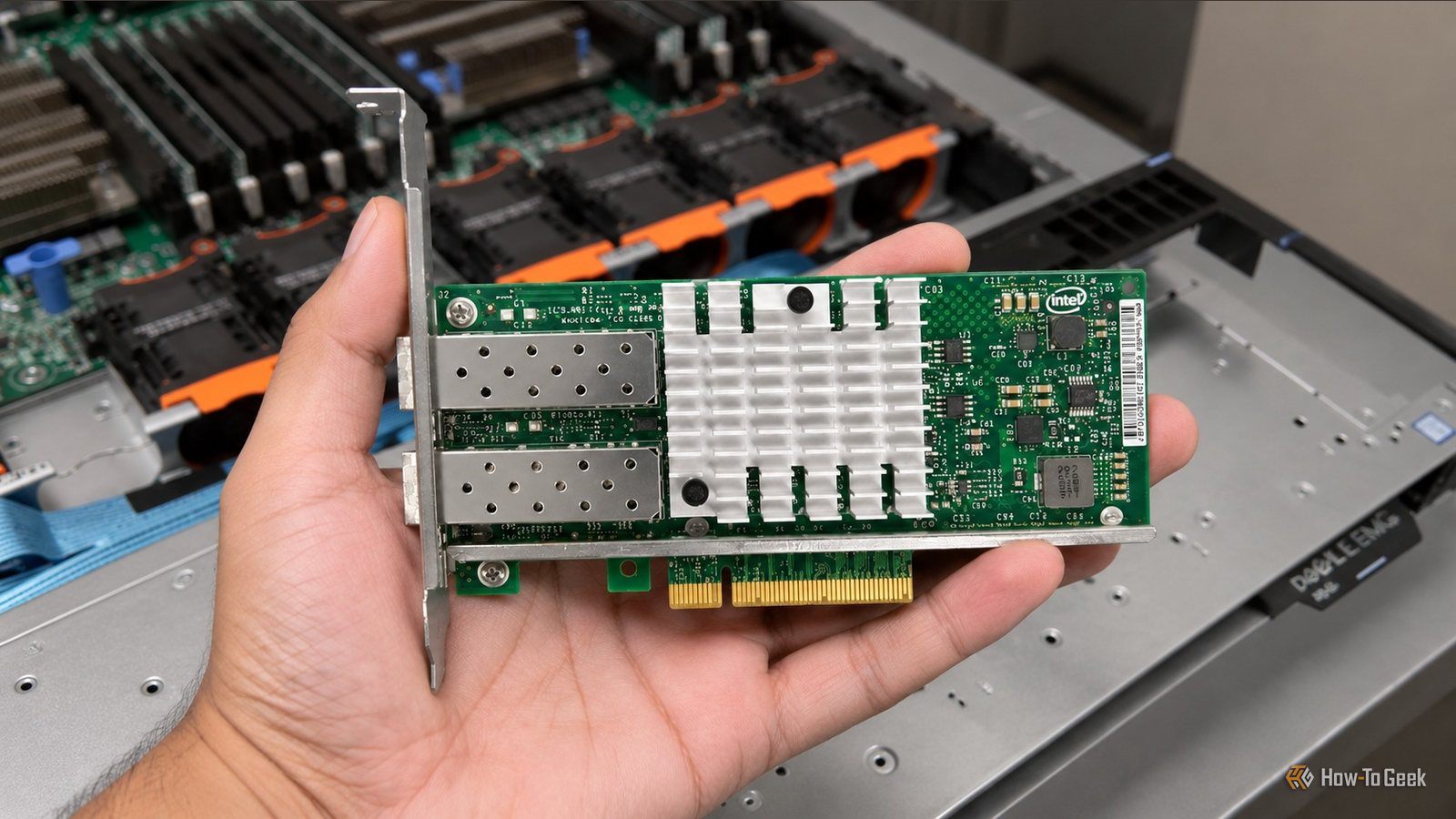
Published Nov 9, 2026, 11:31 AM EST Umair Khurshid is a technology writer and developer with a strong focus on Linux, FreeBSD, cloud infrastructure, and automation. Before focusing on writing, Umair worked as a developer and DevOps engineer building and automating cloud-native systems. I have seen plenty of people run into problems with refurbished laptops. Sometimes, reinstalling Windows reveals the machine is still enrolled in an organization’s management system, and it gets locked again. Other times, buyers discover that the laptop was stolen or has some kind of firmware or administrative lock. I have been fortunate enough to avoid these problems myself, but my experience with refurbished homelab hardware has been considerably more interesting. Finding a bad drive or discovering that a seller’s description does not quite match the hardware you actually receive is fairly common in the refurbished market. You can reduce the chances of running into these problems by purchasing from sellers with good reviews and a track record of selling tested equipment. However, some problems are considerably stranger than receiving a worn-out SSD or a drive with more power-on hours than advertised. These are some of the strangest problems I have encountered, and despite all of them, I still think refurbished hardware is worth buying. I bought a Dell R640 that only had half its memory channels working Even my initial hardware tests did not catch the problem One of my more frustrating experiences involved a refurbished Dell PowerEdge R640. I purchased the server after inspecting and testing it myself. I ran the usual checks, including memory tests, and everything appeared to be working perfectly. There were no obvious errors, and I had no reason to suspect that the motherboard had a problem. After bringing the server home, I got a little lazy and left it sitting around without configuring it. About a week later, I finally decided to install all the RAM and get the machine ready for my homelab. That was when things went sideways. The R640 simply refused to boot, regardless of how I configured the memory. I tried different DIMM combinations and went through the usual troubleshooting process, but I could not get the machine to behave as expected. Eventually, I discovered that only half of the motherboard’s memory channels were working. The problem was particularly frustrating because I had already tested the server before purchasing it. My initial checks had not revealed anything unusual, and the seller had not mentioned any problems with the motherboard. I contacted the seller and explained what I had discovered. Fortunately, he agreed to take the server back and issue a refund, but I asked him if he could exchange it instead (I still have that R640). I think he may not have been aware of the issue either, especially since the server had passed the initial tests. Either way, I was fortunate that he was willing to take responsibility and resolve the problem. The experience taught me an important lesson about buying refurbished servers. Passing an initial memory test does not guarantee that every memory channel is working correctly. You should verify the actual memory configuration, populate as many channels as possible, and confirm that the system recognizes all installed memory as expected. Two Intel X520 network cards had identical MAC addresses Almost 50% packet loss from a problem I had never encountered before Another particularly funny problem involved two refurbished Intel X520 10GbE network cards I purchased for my homelab. These adapters use Intel’s 82599ES controller and are fairly common in refurbished enterprise networking equipment. After installing them, I started experiencing almost 50% packet loss. Initially, I assumed something was wrong with my network configuration, cables, switches, or drivers. I went through the usual troubleshooting process, checking the connections and trying different configurations, but nothing seemed to fix the problem. What made it particularly confusing was that I was experiencing similar problems with both cards. I eventually stumbled upon the actual problem almost accidentally. I checked the MAC addresses assigned to the network interfaces and discovered that both cards had exactly the same MAC address. I had never encountered this problem before, and I cannot remember hearing about it either. I later came across discussions about similar problems, but at the time, checking for duplicate MAC addresses was not something I would normally think of when troubleshooting a newly purchased network adapter. I think that whoever refurbished the cards had flashed the same EEPROM configuration onto both adapters. This can create problems for network switches and other devices that rely on MAC addresses to forward Ethernet frames. The result can be confusing connectivity issues, including dropped packets and unstable network communication. I eventually had to reprogram the EEPROM ROM to assign the adapters their proper, unique MAC addresses. HGST enterprise SSD identified itself as a Cisco device The drive worked differently from what its product listing suggested Another interesting purchase involved an HGST Ultrastar DC SN200 series SSD. These enterprise drives use a U.2 interface, can be found at relatively attractive prices on the refurbished market, and are usually worth it. The seller claimed that the flash storage had been powered on for less than 15 days. That sounded like a pretty good deal, so I decided to give it a try. Unfortunately, it did not work. After testing, I discovered that the drive was a UCSC-NVMEHW-H160, a Cisco-rebranded NVMe SSD with firmware customized for Cisco storage hardware. Enterprise hardware manufacturers frequently source components from other vendors and sell them under their own product names. They also customize the firmware to integrate those components with their server and storage platforms. This can create compatibility issues when you try to use the hardware outside the environment it was originally designed for. Since then, I have started paying closer attention to the actual model numbers and firmware versions before buying used storage. I usually ask sellers for this information, and sometimes they even run the necessary checks and share the details. Others just go cold and simply never respond. Why do I still buy refurbished homelab hardware These experiences might make refurbished enterprise hardware sound like a headache, but I still think it is one of the best ways to build a capable homelab on a limited budget. A refurbished Dell PowerEdge server, an Intel 10GbE network adapter, or an enterprise NVMe SSD can offer considerably more performance than similarly priced new consumer hardware. You also get access to equipment designed for demanding workloads and continuous operation. Of course, I have become considerably more careful about testing used equipment, and I try to test hardware as soon as I receive it rather than leaving it unused for a week. Some of the best equipment in my homelab has come from the refurbished market. These problems have simply reminded me that a bargain is only a bargain after you have verified that everything actually works.
3 weirdest I've encountered with refurbished homelab hardware, and why it's still worth it
Full Article
Original Source
Read the full article at Howtogeek →KhanList aggregates and links to publicly available news content. We do not host full articles from third-party sources. Always verify important information with original sources.