
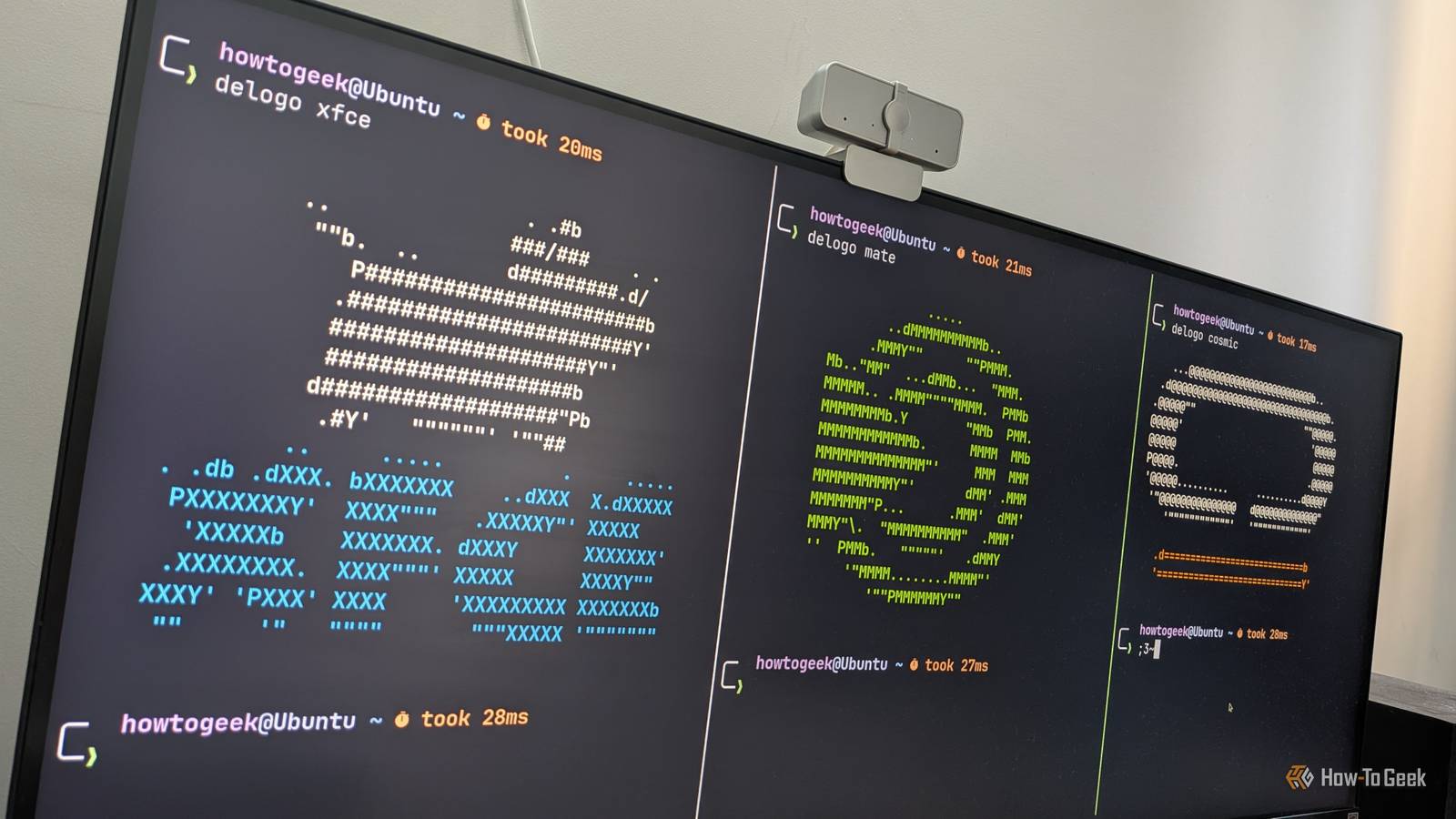
Published Oct 19, 2026, 12:30 PM EDT Dibakar Ghosh is a tech journalist at How-To Geek with over a decade of experience using and writing about open-source software, Linux, Android, AI, and personal productivity. He writes about software, operating systems, and tools that help people get more from the technology they already use. When it comes to Linux desktop environments, three names get all the attention: GNOME, KDE Plasma, and Cinnamon. However, there are dozens of other desktop environments that are just as good, if not better, depending on your specific use case. So, if you’re tired of these mainstream options, here are three overlooked desktop environments worth trying out. Xfce Lightweight doesn’t have to mean lacking Xfce is one of the oldest desktop environments out there and enjoys a large, loyal following. In fact, in typical popularity rankings, it’d likely rank in the top five, just behind the likes of GNOME, KDE Plasma, and Cinnamon. That said, if you ask me, the main reason it hasn’t broken into the mainstream to the same extent as the other three is that it has developed a reputation as the “lightweight” desktop environment — the one you install on older, lower-end systems. As a result, most people only think of Xfce when they want to install Linux on an old spare PC. However, just because Xfce is lightweight doesn’t mean it’s short on features. In fact, Xfce comes surprisingly close to KDE Plasma and Cinnamon when it comes to desktop customization and overall feature availability. You can add and remove panels, rearrange them however you like, and even fill them with plugins for things like system monitoring, weather updates, and virtual desktops. In fact, you can potentially tweak Xfce to look and feel like Windows, with a single taskbar-like panel at the bottom, or macOS, with one panel serving as a dock and another at the top of the screen. Then there’s Thunar, a powerful file manager that lets you add custom actions to the right-click context menu, such as running specific terminal commands or Bash scripts. I should also mention that Xfce uses GTK 3, which gives it access to a huge library of GTK 3 themes and icon packs. This makes it one of the more themable desktop environments out there. In fact, with the right theme and layout, you can make Xfce look surprisingly polished and modern. MATE The classic layout still holds up The one big thing going for MATE is that it revives GNOME 2 — one of the most popular Linux desktop environments of all time. However, the one big thing going against MATE is that it’s essentially GNOME 2 — a desktop environment from the 2000s. You see, when GNOME switched from version 2 to 3, it completely overhauled how the desktop worked, and people were pissed. MATE was born as a fork of GNOME 2, with the goal of keeping the codebase alive. And over the past decade and more, its developers have done just that — adding modern features like support for HiDPI displays, integrating modern filesystems and networking protocols, and more. At the time of writing, Wayland support is also in the works. That said, while MATE has modernized its codebase, it retains the same general layout and feel as GNOME 2. I think that’s what puts off new users: they don’t want a desktop that feels like it’s from the 2000s. I understand that sentiment because I also was one of those users when I started using Linux in 2016. But then I decided to give MATE a shot, and I absolutely loved it. Sure, it doesn’t look as modern or polished as GNOME 50 or KDE Plasma 6.x, but it doesn’t look as old and dated as something like LXQt, either. In fact, MATE has been updated to use GTK 3, just like Xfce. By default, it has a look reminiscent of Windows XP, but you can theme it to look much more modern, boasting an overall aesthetic closer to Windows 7 or Windows 10. Also, in terms of layout, I actually like how MATE handles the Linux desktop, and can literally see why the move to GNOME 3 caused such an uproar. MATE is also highly customizable. You can use the MATE Tweaks tool to change the layout and make it work more like Windows, macOS, GNOME, or even Ubuntu’s Unity desktop. That said, if you decide to use MATE, I’d recommend Ubuntu MATE or Fedora. Linux Mint’s MATE edition is probably the best-known MATE-based option, but I find it a bit too opinionated, which can leave some users with a poor first impression. COSMIC First impressions don’t have to be the last impression COSMIC is one of the newest desktop environments in the Linux world. It’s the official desktop environment of Pop!_OS, but it’s also available on other popular distros. Now, as the brand new desktop environment for one of the most popular Linux distros, COSMIC initially garnered a lot of attention. However, it launched with plenty of bugs and other issues, and many people who tried it had a bad experience. As such, the prevailing narrative is that COSMIC is too buggy for everyday use, so many people tend to ignore it outright. That said, the DE has evolved quite a lot since its initial alpha release in August 2024. I wouldn’t say all the bugs have been ironed out, but it’s very usable. I’ve been running it in a VM for the past couple of weeks and putting it through various tests. While I did encounter some minor scaling issues and visual artifacts, I didn’t experience any UI freezes or crashes. I still wouldn’t recommend installing it on your main PC, but if you have a spare system for experimentation, you should definitely give COSMIC a try. I think you’ll have a good time with it and appreciate what its developers are trying to build. COSMIC is one of the few desktop environments with built-in auto-tiling. It also features a macOS Spotlight-style launcher, a virtual desktop implementation reminiscent of GNOME 3, and plenty of theming and customization options. To me, it feels like the perfect marriage of GNOME’s polished aesthetics and KDE Plasma’s advanced functionality — a combination you don’t see every day. So, even if you’re hesitant to use COSMIC right now, I’d strongly urge you to keep a close eye on it. I’m hopeful that the next few updates will iron out the remaining bugs, at which point COSMIC could become a serious contender among the top three Linux desktop environments. Not exploring all your free choices is a wasted opportunity If you need a stable and reliable workstation, going with one of the more popular, tried-and-tested options makes sense. However, Linux gives you dozens of choices, from distros and desktop environments to core components like package managers and system utilities. As such, I really do think it’s worth spending a few hours one weekend exploring your options. You might find something that unlocks a new workflow your current setup can’t offer. For example, I could have stuck with Ubuntu, my first distro, but then I’d never have discovered Arch and Hyprland or learned everything I have along the way. So experiment and explore, because that’s the fun of Linux.
3 overlooked Linux desktops that are just as good as GNOME, KDE, and Cinnamon
Full Article
Original Source
Read the full article at Howtogeek →KhanList aggregates and links to publicly available news content. We do not host full articles from third-party sources. Always verify important information with original sources.