
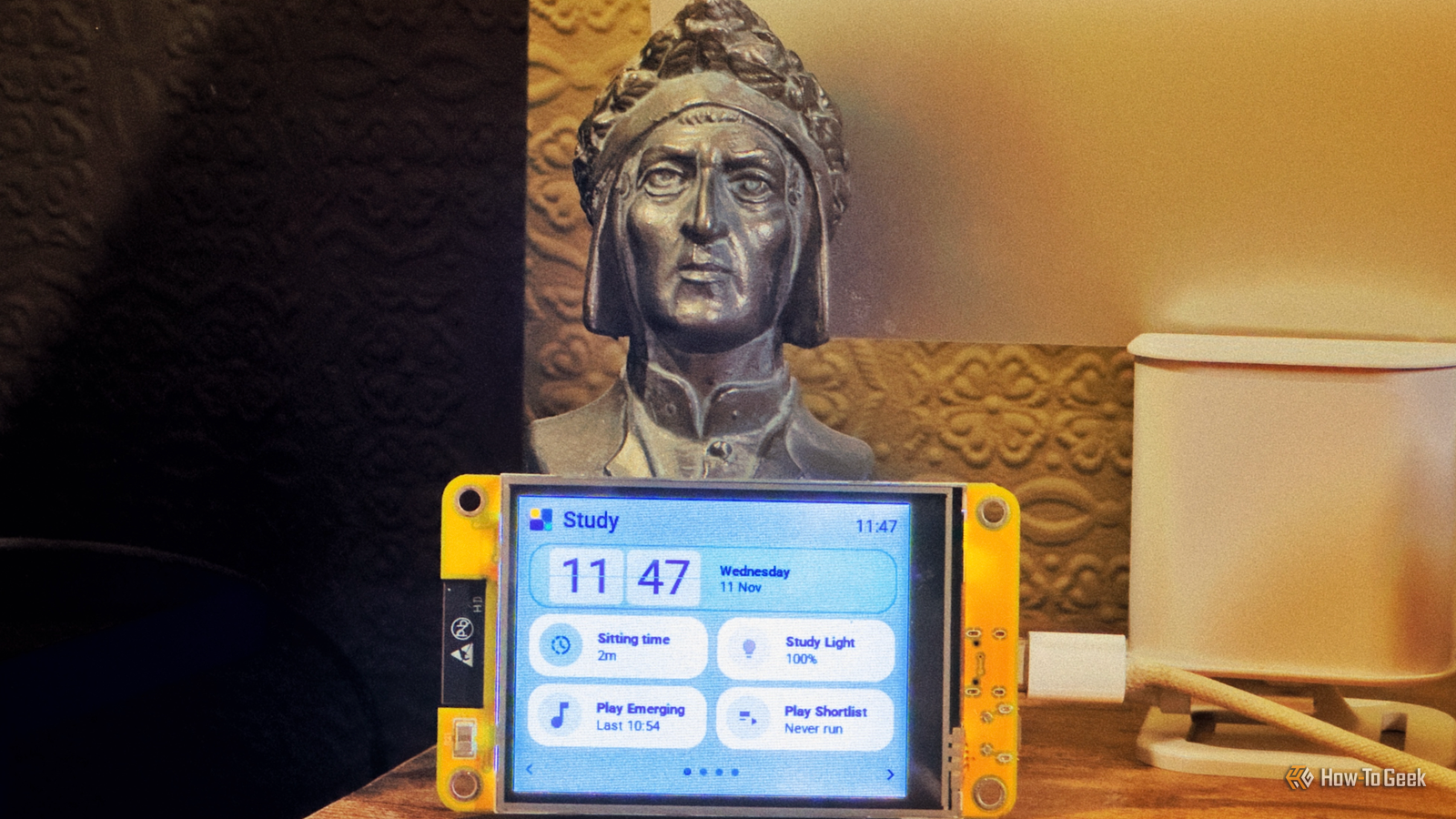
Published Nov 12, 2026, 8:30 AM EST Adam has a degree in Engineering and has a life-long interest in technology. He has been writing for over a decade for various print and online publications, with a focus on consumer tech. He joined How-To Geek in 2024 while working at Pocket-lint. As well as being a long-term fan of Apple products, he also has a strong interest in smart home tech, running a Home Assistant server at home to automate all his smart home devices. He believes that the ideal smart home should work with minimal interaction from the user, with automations running as if by magic rather than requiring you to push buttons on a control panel. You can find more of his work on Muck Rack. I'm not a fan of wall-mounted tablets as Home Assistant dashboards. While they might look pretty, in order to use them, you have to be standing right in front of them, which isn't always ideal. An alternative is to build small dashboards using cheap touchscreen panels, which you can then place around your home where you actually need them. Turn cheap touchscreens into beautiful dashboard panels Set up multiple dashboards around your home Small touchscreen panels can be incredibly cheap. You can buy a Cheap Yellow Display (CYD), a 2.8-inch ESP32-based touchscreen display board, for around $15, and there are larger displays that you can get that don't cost a great deal more. These devices can run firmware such as ESPHome, making it easy to connect them to Home Assistant, but the challenge has always been getting them to display a Home Assistant dashboard, since they're not powerful enough to run a normal web browser. It means that you have to write code that tells the panel what shape to draw, what color it should be, what text should appear, and so on. Toolkits such as LVGL make this a little easier, but the process is still a pain. Tessera Screen Manager is a custom app for Home Assistant that makes the whole job much easier. It runs in Home Assistant and gives you a visual editor you can use to build your dashboards by dragging tiles into position without having to write any code. It supports Cheap Yellow Displays, although these models have some restrictions, such as not being able to display camera images. Other supported models, such as the 4-inch Guition or 7-inch Waveshare displays, offer additional features including the ability to display images such as video doorbell snapshots, live maps, album artwork, and more. The 4-inch Guition is a recommended option, as you can find one relatively cheaply and access all the features that Tessera offers. Replace light switches with touchscreen dashboards A smart switch that's also a dashboard Credit: u/kwatttts | Reddit Small dashboards can be really useful for controlling your smart home, including turning smart light bulbs on and off. There's a common problem with smart bulbs, however. If the light is turned off at the switch, most smart light bulbs become unreachable. Replacing smart bulbs with smart switches can help, but there's another alternative that can be even more useful. The Sonoff NSPanel is a smart light switch with a touchscreen display on the front. It has two physical relays and two hardware buttons, so you can turn your lights on and off the old-school way by pushing a button, but you can also turn the lights on and off remotely or as part of an automation. With the stock firmware, the display can show the time and weather, the current indoor temperature, and let you control other Sonoff lights in your home. To make it even more powerful, you can flash it with custom software such as NSPanel-Easy, which replaces the stock firmware with ESPHome. You can then configure the panel through a Home Assistant blueprint to allow you to control your smart home directly from your light switch. This project involves electrical wiring. You should verify the suitability and safety of your panel and use a qualified electrician for installation where appropriate. Make an always-on e-paper dashboard One less glowing screen in your home Credit: ofilis Filling your home with tiny dashboards is a great way to ensure that there's always a dashboard nearby when you need one. The downside is that your home gets filled with tiny glowing screens, and we all already have enough of those in our lives. An alternative is to set up e-paper dashboards instead. You don't get the touchscreen controls, but an e-paper display can be a great way to show key information about your smart home without adding yet another bright, glowing screen to your home. There are multiple ways to do this, and you don't have to build everything from scratch. For example, the ESP32Display project uses a 4.2-inch Waveshare e-paper display connected to an ESP32-WROOM-32 development board. It uses custom firmware built on ESPHome that can display information from Home Assistant for things such as the time, weather conditions, temperature and humidity, motion sensor states, power consumption, and more. There are even files for 3D printing an enclosure and stand so that you don't have to prop up a bare e-paper panel on your desk. The beauty of e-paper is that it doesn't need a backlight to be visible, it's easy to read even under direct light, and the image will stay on the screen between updates. This project isn't optimized for running on batteries, so you'll need a direct source of power. Dashboards don't have to be wall-mounted tablets When people talk about Home Assistant dashboards, the first image that springs to mind is a wall-mounted tablet packed with far too much information. It doesn't have to be that way. Smaller dashboards can be more useful in their own way, and you can set them up relatively cheaply and easily.
3 Home Assistant projects to build tiny dashboards this weekend (Nov 13–15)
Full Article
Original Source
Read the full article at Howtogeek →KhanList aggregates and links to publicly available news content. We do not host full articles from third-party sources. Always verify important information with original sources.