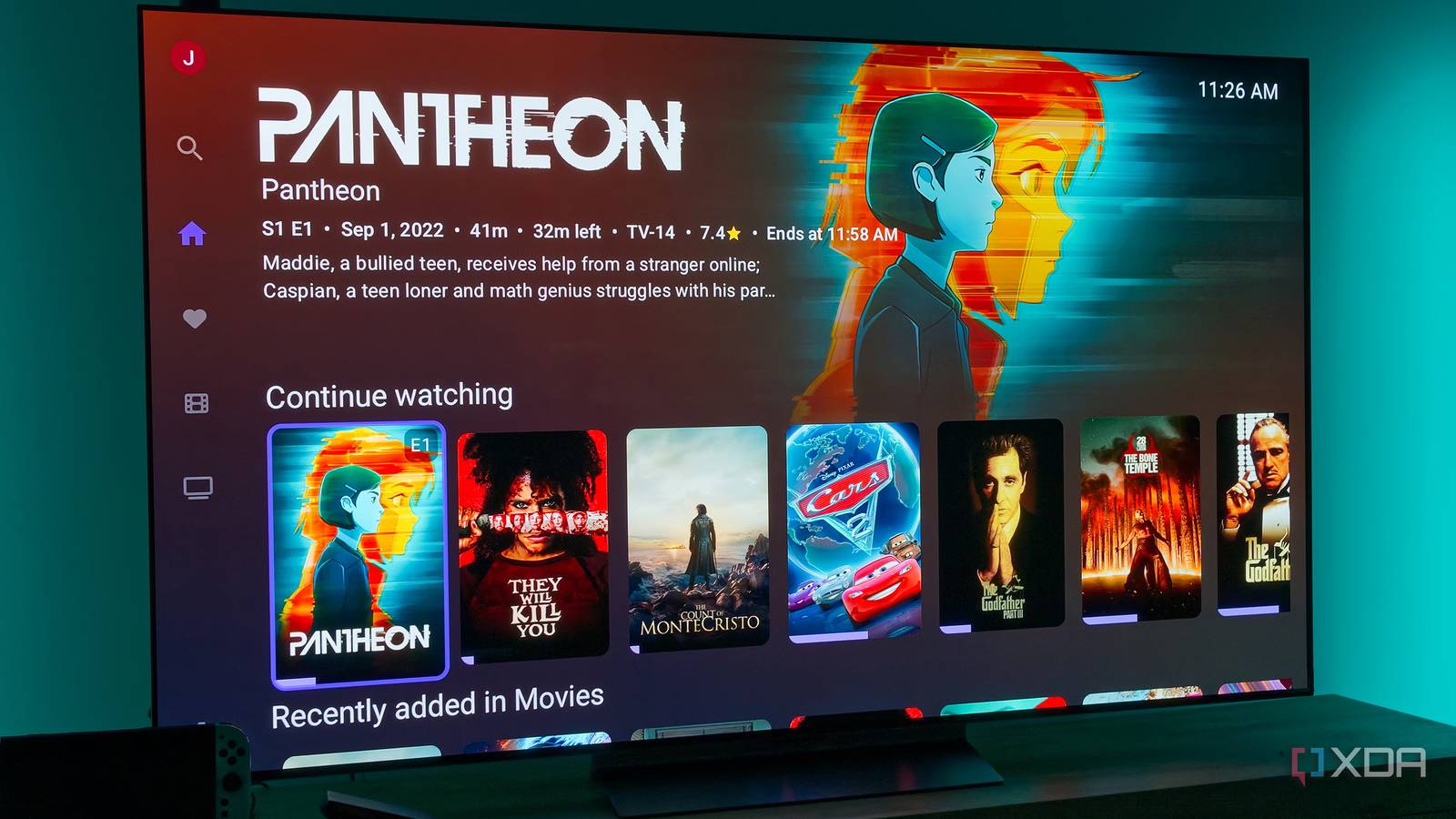
Published Aug 12, 2026, 3:00 PM EDT João has been covering the tech world for over 7 years, with a heavy focus on laptops and the Windows ecosystem. I also love all things tech and videogames, especially Nintendo, which he's always happy to talk about. Prior to joining XDA in 2021, he worked at Neowin: https://www.neowin.net/news/poster/jo%C3%A3o-carrasqueira/ Jellyfin is one of the best self-hosted services on my home lab, and it gets used a ton. There are official apps for the service which work quite well, but in my opinion, third-party apps are what help it truly shine. I've tested quite a few options already. In fact, I already wrote about exactly that, but it seems like I missed a couple of fairly popular options for Android TV, so it was time to choose once and for all which app would replace the official one on my Chromecast with Google TV. Streamyfin looks great But this hardware can't keep up Streamyfin is a Jellyfin client I hadn't heard of until recently, and while it's listed on the Google Play Store, that only seems to apply to the regular Android version of the app. I had to sideload the Android TV package on my Chromecast, which was strange. Getting into the actual app, Streamyfin has a great interface that doesn't waste a lot of space, though I'm not sure if that's actually by design. In my testing, the app seemed to be cutting off some text from the headers at the top of the screen, which suggests some kind of bug is moving the content of the page too far up. I do like that I can easily see multiple lists of different kinds of content, though. Looking at details for a given movie or show does let me see more information about the cast and read more about individual crew members, though if someone's bio is too long, it will be cut off with no option to expand it. As for playing back content, the UI is clean and modern-looking, but it still offers a few options, such as changing subtitle tracks — and even downloading new ones directly from within the playback UI — audio tracks, and also seeing information about the stream, like the resolution, bitrate, and whether content is being streamed directly from the server or transcoded. You can't change quality settings on the fly, but I think that's fine. However, all of this feels a little too slow on the Chromecast with Google TV. Button presses take a second to register, and switching between sections of the app can take a couple of seconds, and the same can be said for opening the summary page for a movie or show, Even during playback, summoning the UI or navigating to the subtitle track list feels unresponsive. Maybe on more powerful hardware like the Google TV Streamer, this would be fine, but I couldn't stick with Streamyfin, so I can't recommend it, either. Streamyfin OS Android, Android TV, iOS, tvOS JellyWatch isn't just a streaming app It gamifies watching your content Another app I hadn't tried before was JellyWatch, and I like the presentation and polish of this one a lot. The UI feels a little enlarged, and I can't see as much of my content at once, but you have things like animated backgrounds and smooth transitions. However, it feels a bit more responsive than Streamyfin overall. For this kind of hardware, it does push its lunch a bit, though. There are a lot of animations in the app's UI that are meant to be smooth, but the Chromecast with Google TV struggles to keep up sometimes. This is especially evident in the playback UI, where all the buttons pop into place in a very lively way. It still looks good, which is impressive all on its own, but it could use a little extra smoothness. My problem with JellyWatch is if you just want a client for watching your content, this really isn't it. It has a lot of features that go beyond what you'd expect, which is both cool and unnecessary. There's a feature called Watch Pass, which lets individual Jellyfin users track their viewing stats and request content to add to the library, which tells me this is meant to be used in a semi-public setting where you have to manage a lot of users. Another feature is SyncPlay, which should make it possible to watch content with others while keeping it in sync. I imagine this only applies to users on the same server, though, so again, it's not something I see a lot of use for in a two-person household. Perhaps the most prominent of these features is achievements, which give you little badges to celebrate milestones, like watching something for the first time, adding items to your favorites, or binge-watching episodes of a show. There's even a badge on the home screen that shows your current watch streak. Attempting to gamify watching content is definitely not something I expected, and while I can see some people enjoying this, it all just feels like clutter to me. Still, I like the playback UI a lot; it tells you right away whether you're streaming directly or transcoding content, and all the playback controls and settings are readily accessible, plus the UI is fairly responsive. I do enjoy it a bit more than Streamyfin, but it's still not for me. JellyWatch TV Wholphin still wins Beautiful and straight to the point Ultimately, my app of choice to stream Jellyfin on Android TV is still Wholphin. I had already picked Wholphin as my favorite prior to trying the two apps above, and it holds on to the top spot because it's beautiful, fast, and straight to the point. Wholphin doesn't have the most space-efficient dashboard, only presenting one row of content at a time, but it does look great and moving between pages and content feels pretty fast and smooth. Even moving between buttons on a movie or show's page has a small animation revealing the full description of the button, and it plays back fairly smoothly on this hardware. It easily feels the most responsive out of any app I've tried. Like the other apps, the playback UI looks very clean and modern, and it lets me easily change audio and subtitle tracks (as well as download them). While I can't change the streaming quality per show, that's an option available in the app's settings and applied to all content at once. If I'm using Jellyfin on a TV, it's because I'm at home, so I have no worries about using too much bandwidth anyway, and I always want the highest quality possible. There's not much in the way of unnecessary flourishes with this app, though. You have the home page with recommended content, or you can browse specific libraries, and you can see the usual information about cast members, including full, expandable bio information when available. Wholphin gets basically everything right, and it's always my go-to. Wholphin A true replacement for the official client At the end of the day, Wholphin is the only app I'd rather use over the official Jellyfin client on Android TV. Everything else I've tried just doesn't feel as smooth or useful, and until that changes, this is what I'm sticking with. If you've been curious about what other apps are out there, this is the place to start.
3 Android TV Jellyfin apps I tested before I finally found the one worth switching to
Full Article
Original Source
Read the full article at Xda-developers →KhanList aggregates and links to publicly available news content. We do not host full articles from third-party sources. Always verify important information with original sources.