
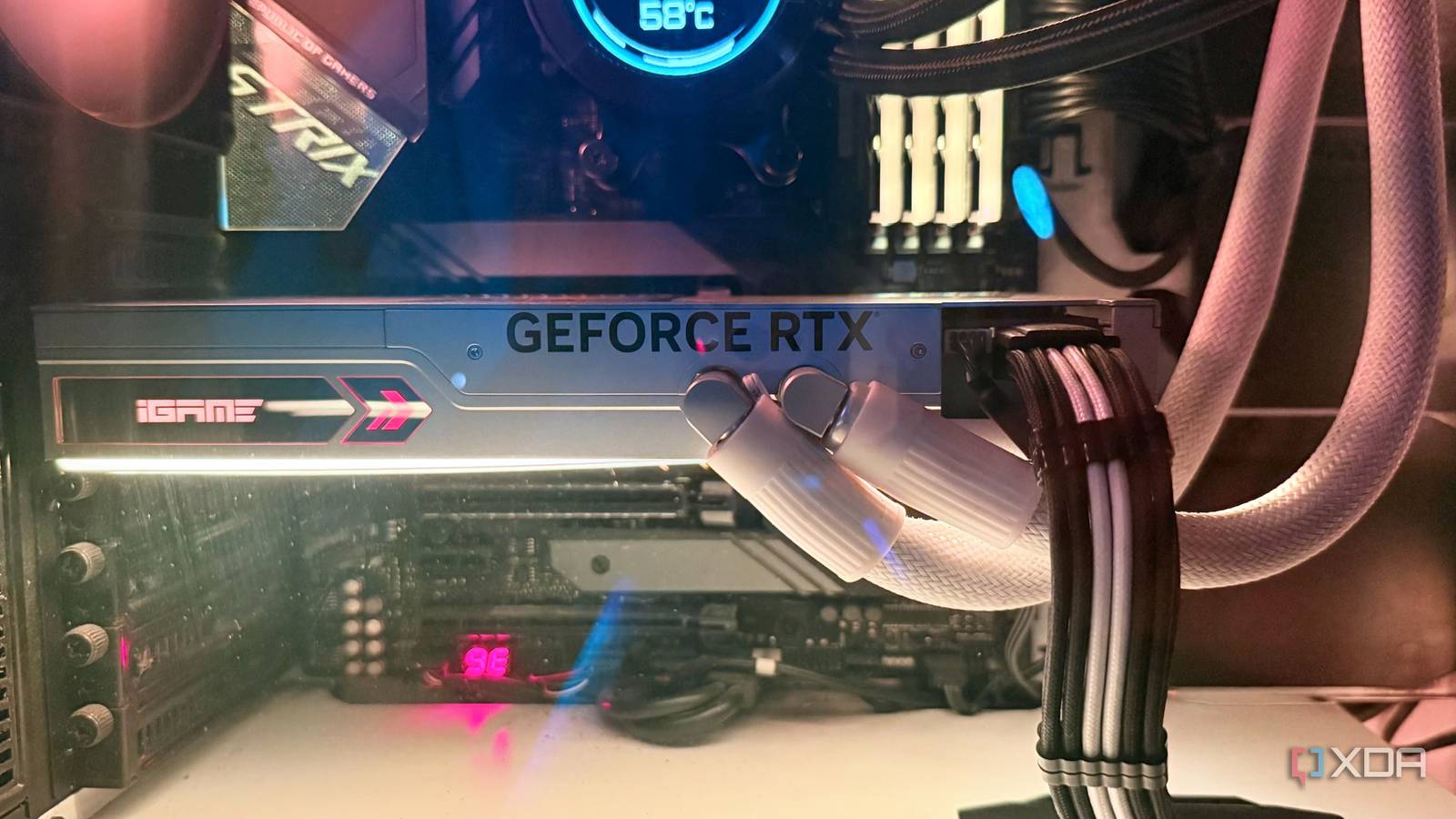
Published Sep 28, 2026, 7:30 AM EDT Hamlin has been in the tech field for over nine years. Since 2017, his work has appeared on MakeUseOf, Android Police, OSXDaily, Beebom, and more. He served as the Senior Editor at Valnet's MakeUseOf for over two years before joining XDA. He uses a high-end gaming rig for desktop use and a MacBook for traveling, but dislikes some of the quirks of macOS. You're more likely to catch him at the gym or on a flight than anywhere else. GPUs are already way too expensive these days, so I have a hard time recommending a premium aftermarket model to anyone. At this point, I'd just say get the cheapest model of the GPU you want and call it a day. But not everyone wants to settle for the bare minimum, especially when you're spending thousands on an RTX 5080 or 5090. The problem is, aftermarket models of high-end GPUs cost hundreds of dollars on top of the FE's MSRP, and that's when you start questioning what you're actually getting for the premium. As someone who has paid a hefty premium for the Asus ROG Strix RTX 3090 and Colorful Neptune RTX 4090 in the past, I feel like I now have a better idea of what I'd actually pay extra for. I can tell you for sure that a factory overclock isn't one of them, and neither is over-the-top RGB lighting. But some features can genuinely make a difference in the long run, and that few-hundred-dollar premium probably won't matter much a few years down the line. If anything, I'll be glad I paid extra for them. Liquid cooling AIO GPUs address two problems at once With high-end GPUs getting incredibly power-hungry in the last few years, it's become challenging to keep their operating temperatures in check without a beefy heatsink and three fans to go with it. Even then, temperatures can creep into the 80s while playing AAA titles. I still remember my ROG Strix RTX 3090 hitting 85C while playing Cyberpunk 2077 with path tracing, and that was one of the best air-cooled variants on the market. That's what convinced me to go with liquid cooling for an RTX 4090 that draws even more power. I didn't want to think about temperatures again, and my Colorful Neptune RTX 4090 gave me just that. Even under full load, it almost never touched 65C when it was new. But that's not the only thing I appreciate about this card. It's smaller and thinner than my RTX 3090, taking up only two slots instead of three. Even though it's heavier overall, most of that weight comes from its 360mm radiator. The card itself is lighter than the air-cooled Strix, and even after four years, there's no visible sag. By comparison, my RTX 3090 was noticeably sagging by the two-year mark since I didn't use a support bracket. Phase-change thermal pad It's a subtle addition that you'll appreciate years later If there's one thing I don't like about my liquid-cooled RTX 4090 after four years, it's that it doesn't run nearly as cool as it used to. Recently, when I played 007: First Light, I saw it hit 87C at one point, which set alarm bells ringing because the same card never crossed 65C when it was new, no matter what game I played. Considering I've been using it for this long, the reason could very well be the thermal paste, along with other factors like dust accumulation in the radiator. I've had no trouble repasting air-cooled cards in the past, but I just don't have the same confidence with an AIO GPU. There's a water block and tubing involved, so I have to be extra careful not to damage anything during disassembly. That's why I'd happily pay extra for a phase-change thermal pad on my next GPU. This material can maintain its thermal performance for several years, so you shouldn't have to replace it every 3-4 years. And now that I know Asus and MSI use phase-change thermal pads on their liquid-cooled RTX 50-series GPUs, this is one feature that'll be a non-negotiable when I upgrade. Dual BIOS One physical switch can make all the difference I'll be honest, I didn't care about this feature at all when I bought my RTX 4090, but now I'm glad I have it. Colorful calls it "One-Key OC," and it's just a physical button that lets me switch between the normal and turbo BIOS. The normal BIOS has a 450W power limit, which is standard for a 4090, whereas switching to turbo bumps it to 550W. Raise the power limit manually in MSI Afterburner, and now I have up to 630W to play with if I really want to push an overclock. If you like tinkering with your GPU, this is something you'll love. But that's not the only reason I'd pay extra for a GPU with a BIOS switch. If I'm flashing a different VBIOS, for example, and something goes wrong, I have another working BIOS at my disposal as a fallback. All I need to do is press the button. Of course, I haven't flashed my GPU yet, but knowing that safety net is there still matters to me. I'll gladly take a GPU that lets me push its power limits over one that advertises a factory overclock that barely improves performance. Shiny metal isn't what makes a GPU premium As much as I love Nvidia's Founders Edition cards for their premium look and feel, I'd still pick an aftermarket model if it came with features I actually care about. When you're already spending thousands on a high-end GPU, paying a little more for liquid cooling, a phase-change thermal pad, or dual BIOS seems perfectly reasonable to me. Sure, these GPUs may barely be faster than an FE card, but better thermals, less maintenance, and the freedom to push them to their limits are things you're far more likely to appreciate years down the line.
3 aftermarket GPU features I'd still pay extra for
Full Article
Original Source
Read the full article at Xda-developers →KhanList aggregates and links to publicly available news content. We do not host full articles from third-party sources. Always verify important information with original sources.