
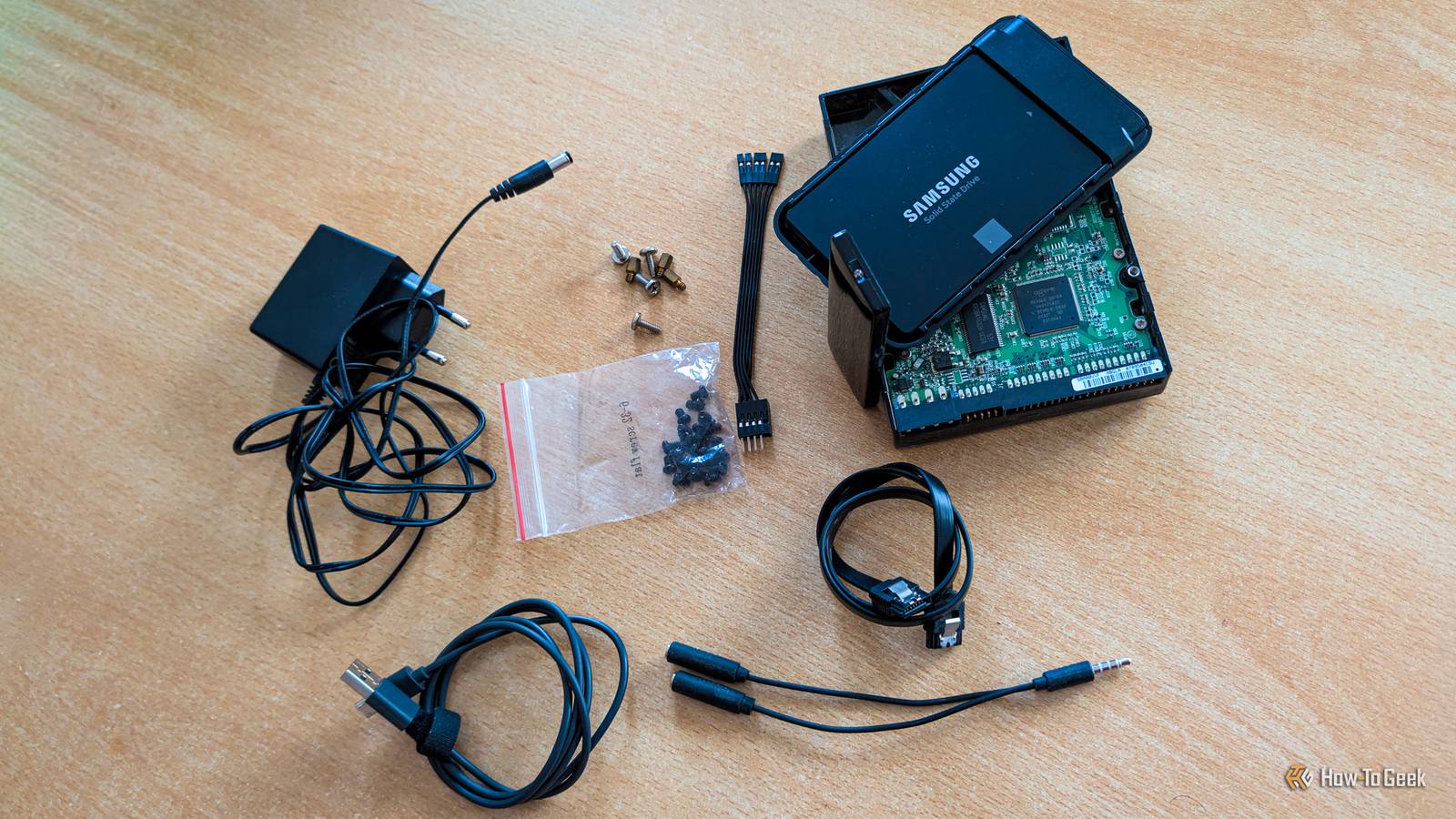
If you’re getting into tinkering with hobbyist projects and repairing the electronic devices you own, you'll probably want to salvage as many components as possible for your spare parts drawer. We all know we’ll need that part at some point, especially if we decide to pass on it. While the general philosophy of companies designing and manufacturing the tech products we use every day is to equip them with proprietary parts that are tricky to remove and reuse, the gadgets around you have a surprising number of components you can salvage for projects, repairs, and even upgrades. Here are some of the components that should have a spot in your stash. Laptop displays and webcams You likely won’t use them for repairs, but they’re still worth salvaging Salvaging an old laptop’s display likely won’t help you repair another laptop, since the two likely use different panels, but it can be great for various projects. You can build a portable monitor, a smart mirror based on an open-source platform such as MagicMirror, a smart home dashboard, a photo frame, and more. If you’d like to reuse your old laptop's display, you should be aware of a couple of things. First, you’ll need a controller board that matches the panel to make it usable, so make sure to identify the exact model of the screen and its connector type. Also, touchscreens add complexity, since the touch layer (the digitizer) is usually handled separately from the display, so you’ll need to wire it up on its own if you want touch to work. Laptop webcams can also be useful for all kinds of projects. Since they’re usually regular USB devices, you’ll likely be able to wire them to a USB cable and convert them into security cameras, use them to keep an eye on your pet or bird feeders, or even monitor your 3D prints. You can also always turn one into a spare webcam for your desktop PC. Just keep in mind that many laptop webcams run on 3.3V rather than USB’s 5V, so you may need to step the voltage down with an LDO (low-dropout regulator) or a buck converter. Power adapters Many devices with barrel jacks use similar adapters, usually rated for 5V, 9V, or 12V. This makes old adapters well worth salvaging and keeping around for when you need them. You’ll likely use them to replace ones that die on you, but they can also power LED strips, security cameras, and Arduino boards, some of which feature barrel jacks. Before using one, check its voltage, current rating, and polarity. The voltage should match what the device requires, while the adapter can be rated for more current (amperage) than necessary, since the device will only sip as much as it needs. Using an adapter with reversed polarity, on the other hand, can fry a device, so be careful. It's also worth mentioning that you can cut off the plug if it doesn’t fit a device you want to power and solder on a new connector. Again, make sure to get the polarity right when soldering it. Credit: Three-quarter-ten / Wikimedia Commons A polarity diagram should be located somewhere on the adapter, but double-check which polarity the adapter has, since these diagrams can be hard to read, as you can see in the photo of one of my adapters below. The best practice is to label each adapter, which can save you a headache. LED backlights from TVs and monitors Handy to have if you've got enough room LED backlights inside TVs and monitors can be very bright, especially TV ones, which makes them a solid choice for lighting your basement, workshop, or garage, if you’re willing to put in some elbow grease. You can also turn them into a DIY light box or a light panel for product photography. They can even help you repair another TV or monitor, but only if the strips are compatible with it. Unlike the cheap RGB LED strips you can find anywhere, the ones used in TVs and monitors need a special power supply designed for LEDs, known as an LED driver. Depending on the model, you might need a beefy one capable of delivering 50V or more. HDD magnets Magnets inside hard drives are extremely strong Credit: Nick Lewis / How-To GeekCredit: Nick Lewis / How-To Geek A typical hard drive has a couple of magnets inside it, but these aren’t your everyday magnets. The ones found inside HDDs are neodymium magnets, which are some of the strongest magnets in the world. You can use them for all kinds of holders, from workshop tools to knife racks and screw trays. You can also use them to hold heavier stuff on your fridge. Now, disassembling a hard drive requires some tools, such as a precision screwdriver — HDDs mostly use Torx screws — and a pair of pliers. The magnets should be glued to a metal plate, but you don’t have to pull them off it. They’re glued on tightly and are very brittle, so leaving them on the plate is usually the better choice. Storage drives and Wi-Fi cards You don’t want to throw these out I kept an old hard drive from my first PC for almost a decade and a half before retiring it when I built my current PC in 2020. And instead of selling the original SSD from my Steam Deck, I kept it around and turned it into a tiny portable SSD I now use all the time. What I want to say is that old storage drives are always handy to keep around. You can reuse them in a variety of ways: upgrade the storage of most PCs, use them in a DIY NAS or home server, turn them into an external drive, and more. Given the current memory shortage, which also affects flash storage, SSDs are grossly overpriced right now, so keeping an old one around is wise in case a drive in one of your computers dies. If a laptop, mini PC, or desktop motherboard has a removable M.2 or Mini PCIe Wi-Fi card, which many computers do, you can reuse it in another PC that doesn’t have Wi-Fi or Bluetooth connectivity (most cards are Wi-Fi and Bluetooth combos). There are cheap adapter cards out there that let you install a Wi-Fi card in a desktop’s PCIe x1 slot. You can also use one to replace a dead card or in DIY projects, as long as the device you’re using has a PCIe connection. Just keep in mind that Intel’s CNVi cards, such as the AX201 and AX211, only work in specific Intel systems. Motors from old printers and scanners Stepper motors are the real prize if you can find them Old printers and scanners have stepper motors that can be very useful for a variety of DIY projects, from mini CNC plotters and 3D printers to turntables and small robots. The catch is that many newer printers released in the last decade or so replaced steppers with DC motors, which means steppers are relatively hard to come by. If you can get your hands on an older inkjet or laser printer, a dot matrix printer, or a discarded heavy office printer, it should pack quality steppers. Old CD and DVD drives are also a great source of stepper motors. Just don’t forget that you can’t simply connect a motor to a board like an Arduino or some other device used in a project; you’ll also need a driver. While DC motors aren’t as useful as steppers, you can still get some value out of them in projects that only need simple movement. Last but not least, old printers and scanners hide other useful components, such as plastic gears, tiny belts, precision rods, rollers, and more, which can come in handy in the right situation. Fans Old PC fans can come to the rescue in more ways than one Regular desktop PC fans run on 12V and use standardized connectors (either 3-pin or 4-pin), making them very suitable as spare parts. If your PC’s fan dies or gets noisy, you can easily replace it with an old one. This works for most air CPU coolers and NAS devices, too, since they usually use regular 12V fans as well. Aside from repairs, you can use them to cool down various devices. Add a few inside your AV cabinet to improve its airflow, or point one at a hot router or streaming box. You can even create a Corsi-Rosenthal Box, which is a DIY air purifier that’s usually built with a box fan, though PC fans work as well. Sensors Sensors may be a dime a dozen, but reusing one you salvaged is more satisfying If you’re a tinkerer, you’re probably aware that you can find many sensors for cheap on a multitude of online storefronts, but nothing can beat using one you salvaged yourself. Common sensors you can find in electronic devices include IR receivers, motion sensors, reed switches, Hall sensors, and optical endstops. Sources include TVs, video players, and set-top boxes (IR receivers); motion-activated lights (motion sensors); printers and scanners (optical endstops); laptops and game controllers (Hall sensors); washing machines and alarm sensors (reed switches); and more. You can use these sensors for repairs, but also for a variety of DIY projects, from cabinet lighting and gadgets you control with an old remote to CNC machines and 3D printers. Screws and cables You can't have a spare parts bin without a bunch of these This is the most obvious choice here, but it’s still worth mentioning. It’s always smart to keep old cables and screws, and they’ve bailed me out many times. A spare SATA cable has saved me a trip to the store more than once. I was also super grateful I’d saved spare M.2 SSD screws when I lost the one that came with one of my external M.2 SSD enclosures. Extra power, video, and USB cables have also proven valuable on many occasions, like when a cable died or started acting up, when I was troubleshooting an issue, or when a friend needed one. You know how it goes: if you keep a cable, you likely won’t find a use for it, but if you throw it out, you’ll need it the very next week. Not all components are worth salvaging Some components, such as tiny resistors and capacitors, aren’t worth salvaging because they’re super cheap to buy. Electrolytic capacitors are another part to skip, since they have a limited lifespan and old ones are often unreliable. Small screens and proprietary chips are also not worth the hassle, since you either can’t reuse them (chips) or will have a hard time making them work (screens) because they use proprietary connectors. If a device is water damaged, it’s best to skip salvaging its electronic parts. You also don’t want to salvage lithium batteries, especially if they’re damaged. CRT TVs and monitors can be dangerous to disassemble due to their high-voltage capacitors and lots of lead inside them. Also, don’t use salvaged PC power supply cables with a different PSU, because they’re designed for specific PSU models. Using them in another PSU can fry both the PSU and the components connected to it.
12 salvaged components from old tech worth keeping in your spare parts bin
Full Article
Original Source
Read the full article at Howtogeek →KhanList aggregates and links to publicly available news content. We do not host full articles from third-party sources. Always verify important information with original sources.