
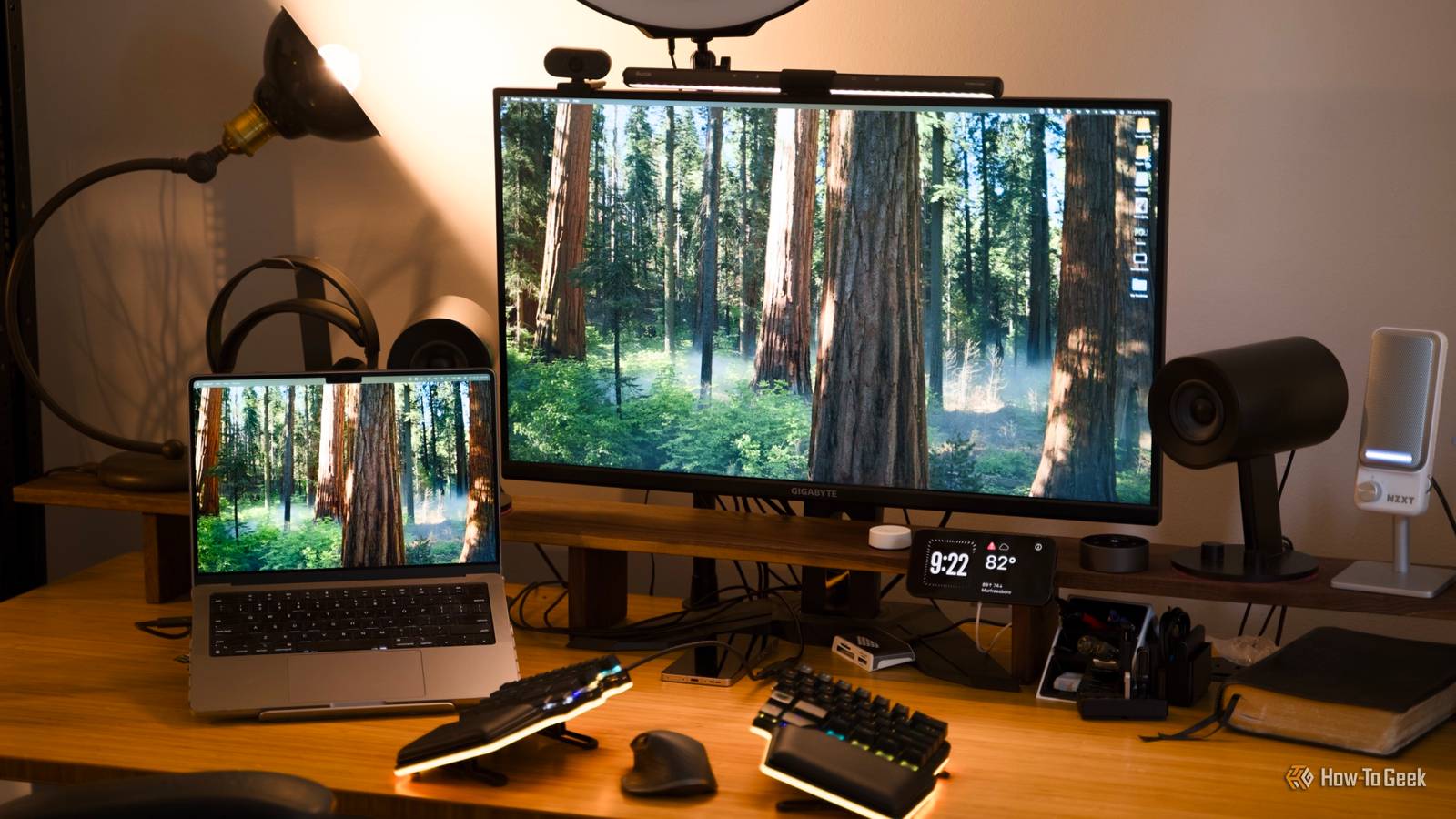
Published Sep 12, 2026, 12:00 PM EDT Ismar is a Senior Author at How-To Geek. He previously worked as a writer, editor, and general manager at a content agency before joining the team in 2023. He began his writing career in 2021 after completing a BA in English Language and Literature. Beyond How-To Geek, Ismar has contributed to Red Stag Fulfillment and Authority Hacker. He has also worked on various SEO projects to help clients improve their search visibility. Ismar has been around Windows PCs since the age of three, so friends and family naturally chose him as the resident tech support. His projects often involve tinkering, such as disassembling mechanical keyboards and gaming mice to mod his beloved gear. He also enjoys pushing hardware to the max through overclocking while staying on a reasonable budget. An avid gamer, Ismar has logged thousands of hours across various genres, including first-person shooters, RPGs, racing games, and roguelites. When he is not at his desk, he is probably exploring other people’s phones to discover their quirks and features or experimenting with the latest AI tools. In his free time, Ismar enjoys spending time with his wife, working out at the gym, playing guitar and bass, cooking gourmet meals, and traveling. Above all else, he’s a proud cat owner. Whether you’re a gamer, work from home, or just spend a lot of time at your PC, you likely sit at your desk for hours each day. That’s why it’s worth making your setup as cozy and convenient as possible. While things like ergonomic chairs, standing desks, and high-end computer peripherals can help, they can also set you back hundreds of dollars. Fortunately, there are plenty of small, inexpensive items that can make a big difference, so let’s go over them. At the time of writing, all items and similar variants were available under $10. Prices may change over time due to inflation or retailer updates. LED lamp or monitor light A little light goes a long way Credit: Patrick Campanale / How-To Geek A monitor light is essentially a light bar that clips onto your monitor and provides glare-free illumination at the front, back, or both. An LED lamp serves the same purpose and can be found in many shapes and sizes, which is why I'm including it here as well. There are some amazing high-end monitor lights on the market, like the BenQ ScreenBar Halo 2 and the Razer Aether, but they're quite expensive. There's a cheaper alternative, the Quntis ScreenLinear Pro, but that one's still $40. That's a lot of money for something that's basically just a light, so I completely understand if you're not willing to spend that much. Fortunately, there are some super-cheap unbranded monitor lights like this Holloyiver Light Bar, though you can find some other models on sites like AliExpress and Temu, too. However, since a monitor light has to be well-designed to avoid causing glare, and we're talking about a budget of only $10, I think it's better to get an LED desk lamp instead. R RUCKERCO LED Desk Lamp This dimmable LED desk lamp is perfect for reading or for providing ambient lighting for your setup. It offers several color temperatures, so you can choose between warm white, cool white, or neutral. This is what I personally did, as I don't need the light in front of my monitor. The soft warm white light behind the monitor helps me see better in the evenings without being overly bright and distracting. Keyboard or mouse wrist rest Save your wrists from fatigue Credit: Hannah Stryker / How-To Geek Wrist rests provide cushioning against your hard desk, which helps reduce pressure points (you’ll notice them when you see red marks on your wrists). They also lift the typing angle slightly, promoting a more neutral wrist position and reducing strain. Many higher-end keyboards come with detachable magnetic wrist rests, but if yours didn’t, or if you find the included one isn’t soft or comfortable enough, you’ll be glad to know there are affordable gel and memory foam wrist rests available for under $10. There are also smaller wrist rests made for your mouse if that's where the discomfort shows up. Yolanda Keyboard Wrist Rest The Yolanda Memory Foam Wrist Rest set provides soft, ergonomic support for your keyboard, helping reduce wrist strain during long hours of typing or gaming. Its non-slip base and memory foam design provide the perfect balance between comfort and support. BRILA Ergonomic Memory Foam Mouse Wrist Rest The BRILA Mouse Wrist Rest cushions your wrist with a contoured groove. Its durable memory foam, smooth Lycra cover, and non-slip base make it a comfortable, steady upgrade for work. Tidy up Credit: Ismar Hrnjicevic / How-To Geek Decent cable management is one of the most crucial aspects of your desk's aesthetics. While zip ties make for decent cable management doohickeys for the inside of your PC, you can't really use those ugly things on your desk. Plus, you might want to move stuff around. Instead, try hook-and-loop cable ties. There are plenty of options, like straps, adhesive cable ties, and cut-to-length tape. They’re so inexpensive and come in huge quantities, so you might as well get a pack of each for your whole family and friends. 60 PCS 6 Inches Reusable Cable Ties Materials Nylon Colors Black This is a set of 60 reusable cable ties. They have adjustable straps, and they can help you organize the cables inside your PC and outside of it. I have so many PC accessories and peripherals that it's becoming increasingly hard for me to manage all the cables on and around my desk. Fortunately, a mix of those adhesive cable clips under my desk and some tape has allowed me to at least somewhat tame the clutter. Under-desk cable organizer Route those cords wherever they need to go Credit: Kris Henges / How-To Geek I've already mentioned adhesive cable ties as an under-desk organizer above, but to be honest, there are better and "cleaner" options out there. Unfortunately, proper cable trays and shelves that bolt or clamp onto your desk cost slightly more than $10, though there are times when you can find them under $10. For example, the Yecaye Tray is currently on sale for $9.99 in black and $9.49 in white. However, I don't want to cheat by including items that are on sale, so instead, I'm going to recommend the COOCAT Pea Cable Clips that my colleague Kris loves. They're small, cheap, and super practical multi-purpose organizers. COOCAT Pea Cable Clips $8 $10 Save $2 This inexpensive accessory sticks to the side of your desk or table, and securely holds even the most slippery of cables. Another option for organizing your cables under $10 is cable channels, which are amazing for cleaning up the more permanent cables like your PC's power cable, but can be problematic for peripherals that you move around. Headphone holder or stand Holster those headphones Credit: Ismar Hrnjicevic / How-To Geek Whether you have a cool headphone collection or just one trusty pair of cans, I'm sure you'd like to have a designated place at your desk to showcase it. That's where a headphone stand comes in handy. I personally prefer to tuck my headphones under the desk on a clamping headphone holder. I need the extra desk space, and I find it even more convenient to have them always ready to go. I don’t even bother unplugging my wired pair since it’s easier to just hit Ctrl+Windows+V and switch the output device. Plus, my headphone jack is broken, so this ensures the cable won't lose contact. Celerion Headphone Holder The Celerion under-desk headphone holder clamps easily to your desk and can rotate 360 degrees. When the headphones are in use, you can use the hook to keep the cable organized. Mouse bungee Weeeee! Credit: Kevin Bonnett / How-To Geek Do you use a wired mouse? If the answer is yes and you're not ready to go wireless yet, a mouse bungee is the best desk accessory you can get, period. The bungee suspends the cable in the air, which removes friction and allows you to glide the mouse more smoothly across your desk. It's especially useful for gamers, as cable drag can skew your aim. Back when I had a wired Logitech G502, I used a bungee and noticed a clear improvement. While it's not quite the same as a true wireless mouse, it's a great and inexpensive solution. For some reason, brand-name mouse bungees tend to be rather pricey. While they may be higher quality and look great, there's no real need to overspend on an accessory like this. This generic Aozcbor model is just like the one I had, and it worked fine. However, there's an even better option if your desk setup allows it: the Pulsar Micro Bungee ES. It attaches to your monitor and has a 360-degree pivoting head, letting you make large, sweeping mouse movements without any drag. Pulsar Micro Bungee ES The Pulsar Micro Bungee ES keeps your wired mouse cable drag-free, allowing you to move freely across your desk. Its compact design attaches to your monitor, giving you more space and a cleaner setup. RGB LED strip Accent lighting sets the mood Credit: Jerome Thomas / How-To Geek RGB LED strips are one of the best and most affordable ways to add indirect lighting across your entire desk. They’re also very flexible in terms of placement—behind the desk, under it, on the back of your monitor, or even inside your PC. They’re a great way to set the mood for work or gaming, both during the day and especially in the evening. These strips can be either fancy and expensive, with lots of individually addressable RGB lights, or cheap and simple, controlled via a physical remote or a somewhat sketchy app. I’ve only tried the latter and was very happy with the value for money. NBBUFF RGB Lights Enhance your desk with these RGB LED strip lights. They feature several color-changing modes, music sync, and adjustable brightness via the remote or app. USB hub Expand that port selection Credit: Michael Bizzaco / How-To Geek If you use flash drives or other USB devices often, a USB hub is a must-have on your desk. Whether you’re transferring files from your phone, charging your headphones or smartwatch, or plugging in a wireless dongle, a USB hub provides a convenient spot to do it. There are some excellent USB-C hubs on the market with additional features like SD card readers, HDMI and DisplayPort connectivity, and more. But if all you need is to turn a single USB port into four front-facing ones, a hub is an invaluable addition—just be mindful of the bandwidth limitations. Anker 4-Port USB Hub Whether you need more ports on your desktop, something handy to plug laptop accessories into, or you've run out of ports on your Xbox Series X|S console, everybody loves a good USB hub. USB desk fan Chill out Credit: Ismar Hrnjicevic / How-To Geek If summers get hot where you live, a cheap USB desk fan can quickly become your favorite PC accessory. It provides much-needed airflow to your face, hands, or body. Gaiatop USB Desk Fan Bladed Yes Dimensions 3"D x 4.6"W x 5.4"H The Gaiatop USB Desk Fan is a compact, portable fan with three speeds and a 30-degree adjustable head, perfect for your desk. It’s quiet and USB-powered, so you can easily plug it into your PC or laptop. Unfortunately, I ripped the cable on my old one and haven’t gotten around to buying a replacement. I really miss it for keeping my hands cool while gaming and typing. Giant mousepad Make your desk a mousepad Credit: Ismar Hrnjicevic / How-to Geek No desk is complete without a gigantic mousepad—trust me, you need it. It's one of the best ways to make your mouse and keyboard feel more comfortable to use, plus you can finally stop ruining your mouse skates if you don't have any kind of mousepad right now. The one on my desk is a high-end gaming model generously provided by SteelSeries, but I’ve had a super-cheap XL mousepad for years before this one and was quite happy with it. Surprisingly, large mousepads have dropped so much in price that you can now find them for under $10. They provide a fantastic way to customize your desk. Whether you want a simple black pad, a colorful one as the centerpiece of your setup, or a sleek PU leather option for professionals, there are so many choices under $10 that it’s hard not to grab one. JOCYRN Large Extended Gaming Mouse Pad $7 $10 Save $3 The JOCYRN Large Extended Gaming Mouse Pad measures 31.5 inches by 15.7 inches, giving you plenty of space for your keyboard, mouse, and other desk items. Its water-resistant surface, stitched edges, and ultra-smooth micro-weave cloth make it durable, comfortable, and perfect for gaming and office use. Upgrade your desk today Whether you’re planning to get an all-important desk mat or something as simple as a few cable-organizing accessories, there are plenty of ways to improve your setup for cheap. Go ahead and grab something nice for yourself without going over budget!
10 things under $10 that’ll instantly improve your PC desk setup
Full Article
Original Source
Read the full article at Howtogeek →KhanList aggregates and links to publicly available news content. We do not host full articles from third-party sources. Always verify important information with original sources.